Email Server Configuration
Kron PAM email notifications are sent from a pre-configured email server. To configure email settings, follow the steps below:
1. Navigate to Administration > System Config Man. > Integrations.
2. Access the Email Config tab.
3. Select the email configuration type: SMTP or Azure.
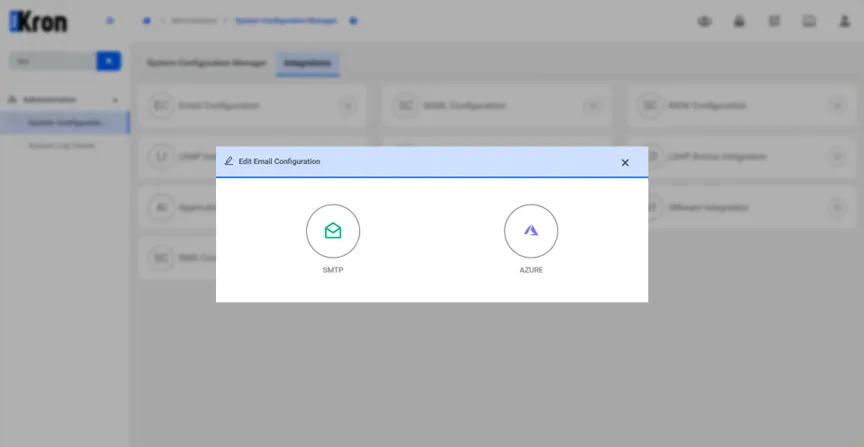
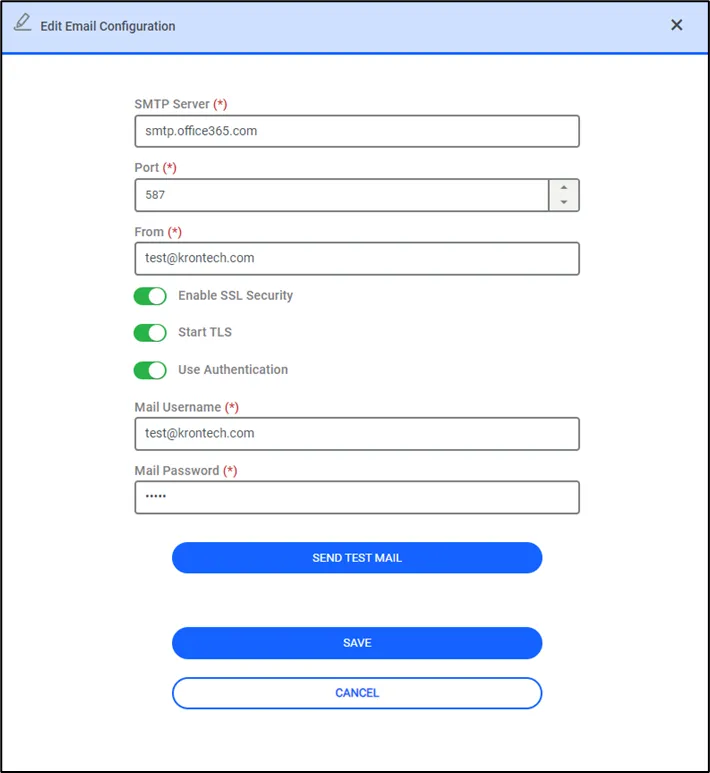
For SMTP configuration:
· Configure the SMTP parameters using the organization’s mail server information.
· Before saving the mail configuration, you can verify the process by clicking the Send Test Mail button to test it.
Kron PAM email templates are automatically generated and stored in the mail folder. If desired, system administrators can modify the email templates.
For Azure configuration:
Kron PAM supports Azure OAuth authentication for email integration. This allows sending emails securely using Azure AD instead of username and password.
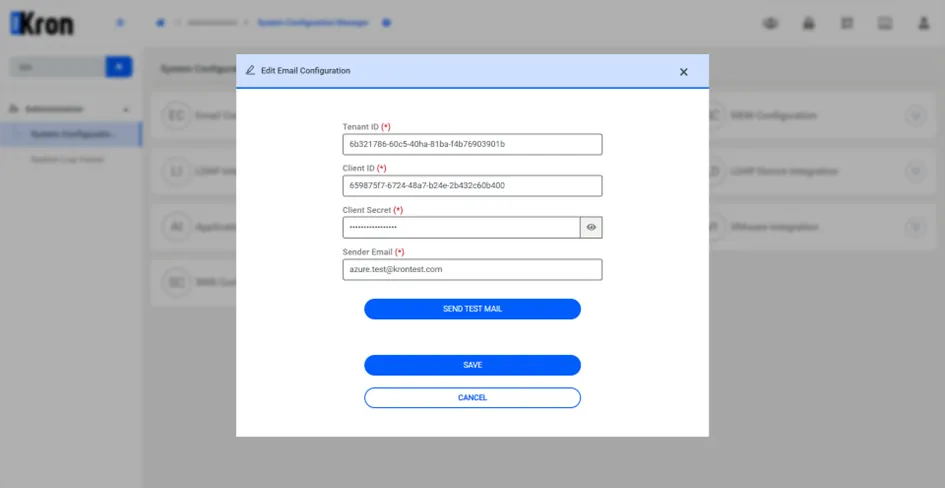
Configure the Azure Mail parameters using the organization’s Azure AD application details.
· Tenant ID: Specifies which Azure tenant PAM will use for authentication.
· Client ID: Identifies the application registered in Azure AD.
· Client Secret: A secure key used by PAM to authenticate with Azure.
· Sender Email: Defines the email address used to send messages from PAM.
· Before saving the mail configuration, you can verify the process by clicking the Send Test Mail button to test it.