Creating Device Realms
Device Realms bind user groups with device groups so that the users in that user group can reach the devices defined in the device group.
To create a new device group realm:
- Navigate to Policy > Realms.
- Click the +Add button.
- Fill out the Device Realm Name and Description fields.
- Click Next.
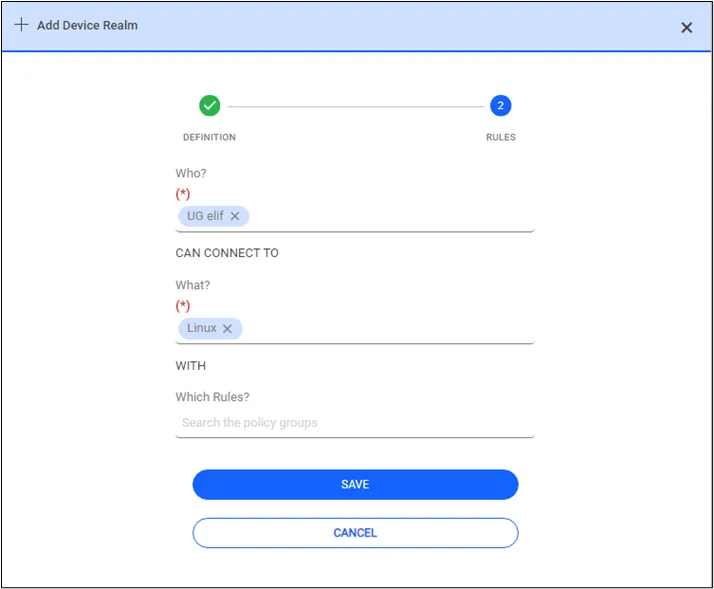
- Type the User Group name in the User Group Select field (titled "Who?"), and click on the desired result from the auto-complete alternatives.
- Type the Device Group name in the Device Group Select field (titled "What?"), and click on the desired result from the auto-complete alternatives.
- (Optional) Start typing the Policy Group name in the Policy Group Select field (titled "Which Rules?"), and click on the desired result from the auto-complete alternatives. Refer to the Policy Management section for more on policy groups.
- Click Save.
- You created a new Device Realm by matching a device group with a user group.
When a user logs in to Kron PAM, the Menu Screens to be used are not displayed if there is no defined portal functions realm for the user’s user groups. After creating the device realm, the portal functions realm should be defined between the user groups and the netright.discovery.moduleVisibility portal function, so that users can access devices in the created Device Group from the portal menu screen. See also Menu Lists Management