Connector Support for SFTP Proxy
The Tenant Connector feature is also applicable to the SFTP Proxy. To utilize it, follow the steps provided at VRF Support on Tenants to create a Connector and a Site.
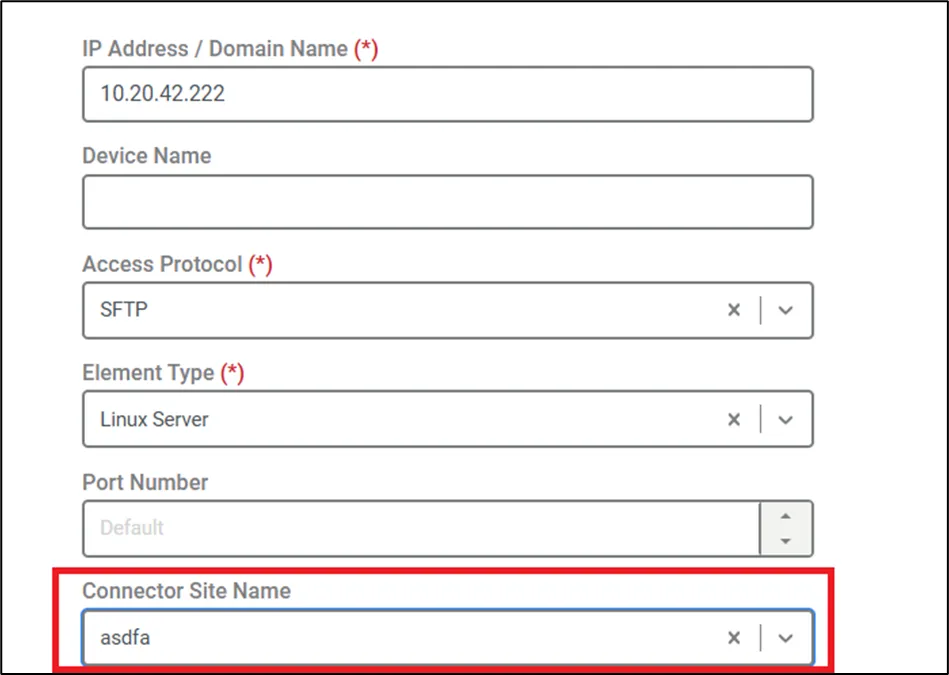
- Navigate to Devices > Inventory > Add Device > Information.
- Follow the standard steps for adding an SFTP device up to the Connector Site Name.
- Select the Connector Site Name.
- Fill in any required parameters and Save the configuration.
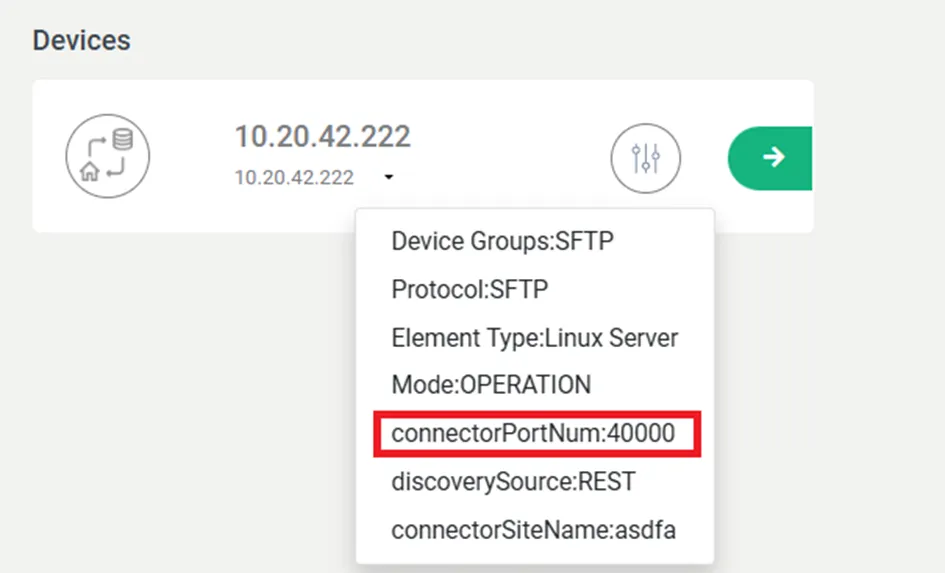
- The device's connectorPortNum will be automatically assigned based on these steps.