Viewing Password Vault Account Group Info
When there are too many nested subgroups, the following steps can be followed to copy and use the group names elsewhere.
- Navigate to Secrets > Vault.
- Open the Vault tab.
- Search the Vault Account Group from the Account Group Panel.
- Select Vault Account Group.
- Click the Down Arrow button next to the group name in the panel where the groups are listed, and the group information will be displayed on the screen.
- The information shown includes when the Account group was created, when it was updated, the group owner, and the group's full path information.
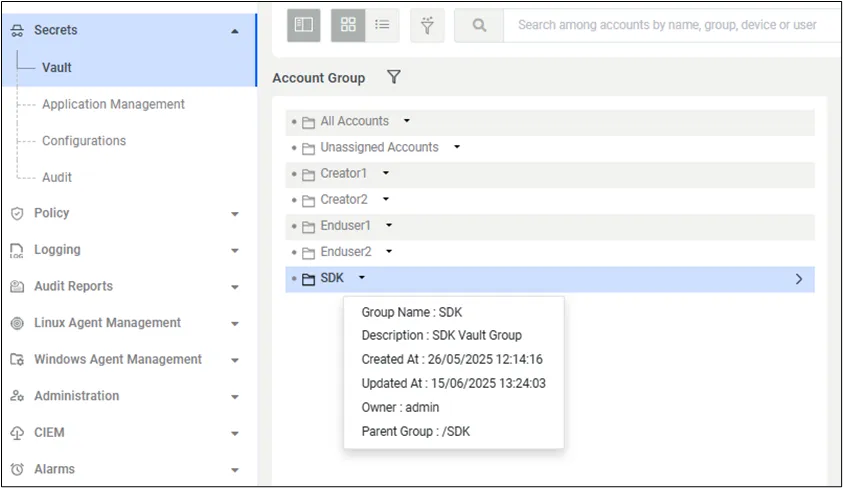
Listed Defined Vault Account Groups Screen
- Left-click on the Parent Group property on the screen. When this button is clicked, the system will copy the Group Name information to the clipboard. It can then be used by pasting it wherever needed.
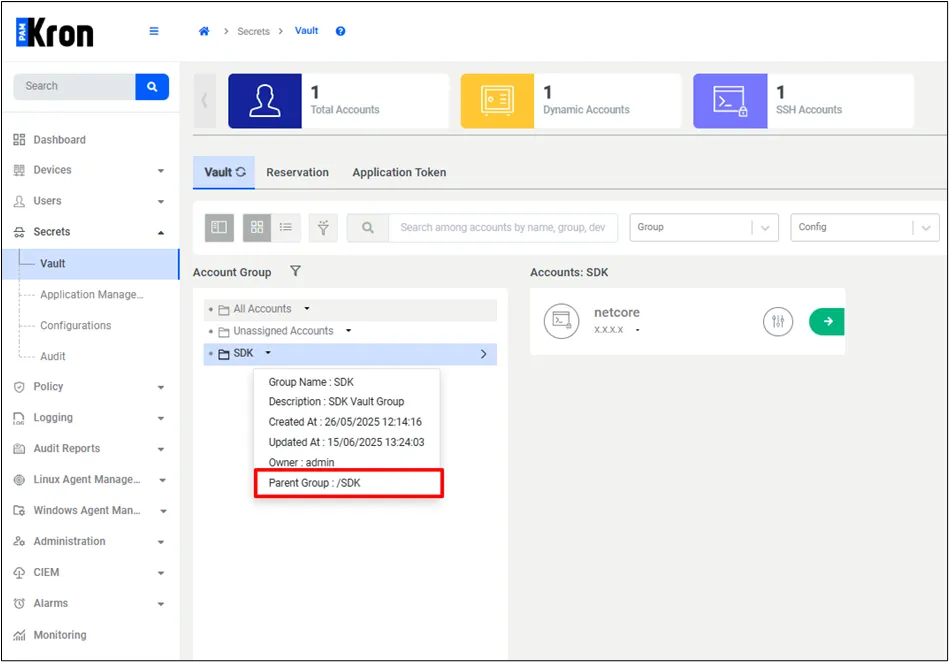
Vault Account Group Name Copied