Kron PAM Configuration for Threat Threshold Incident Response
- Log in to Kron PAM Web GUI.
- Navigate to the Threat Analytics menu.
- Open the Severity Configurations tab. This section contains configurations related to the classification of detected threats according to their risk scores.
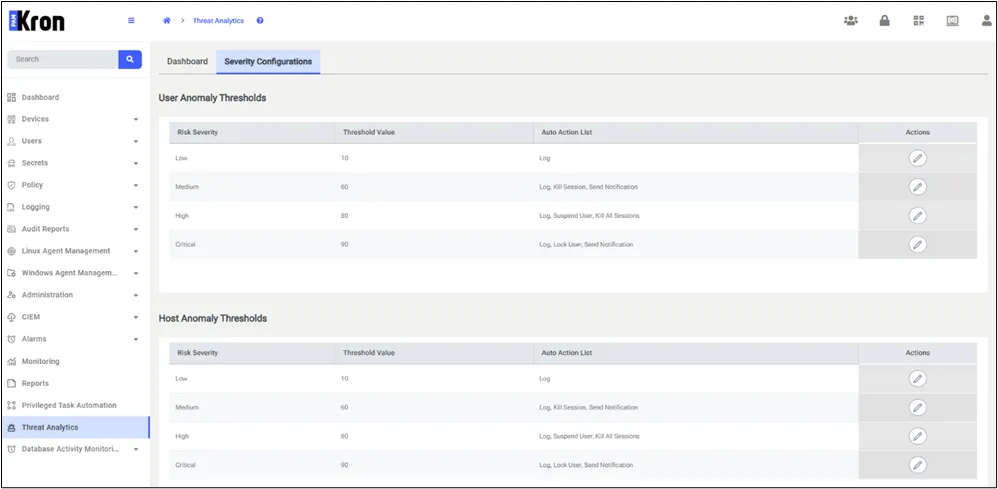
Kron PAM Configuration for Threat Threshold Incident Response
Set risk severity threshold and Auto action for severity levels.
- Log: To log the detected anomalies. Kill All Sessions: To kill all sessions of the user. Kill Session: To kill only the session in which the anomaly is detected. Lock User: To lock the user. Locked users cannot log in to the system. The error message "Your account is locked. Please contact your administrator." is displayed on the login page. Locked accounts can be unlocked by the administrator from the user's action menu. Send Notification: To send a notification mail to the recipient defined in sc.uba.send.detected.anomalies.mail.recipient parameter in System Config. Manager. Suspend User: To suspend the user for the duration specified in the user.suspend.forMillis parameter in System Config. Manager.
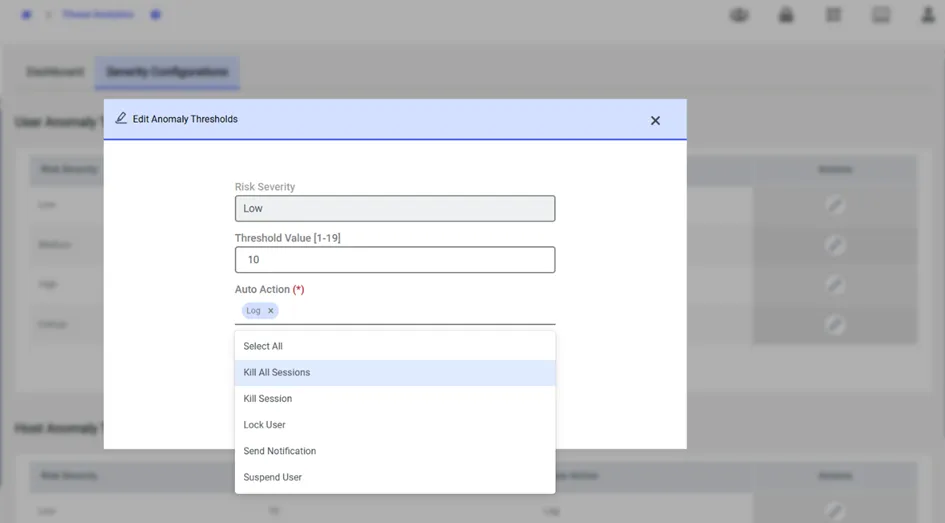
Edit Anomaly Thresholds
- Detected threats are listed in the Dashboard tab.
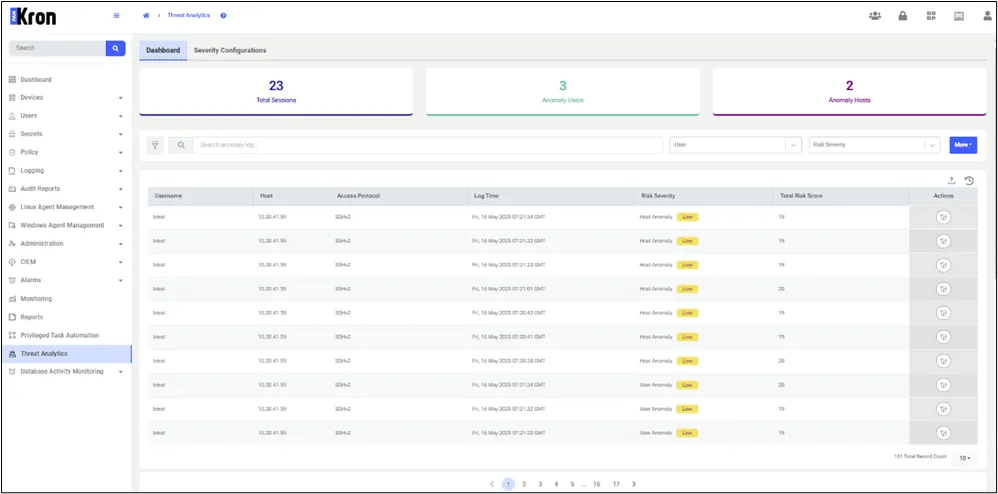
Detected Threats