JBoss Configuration Strategy
This section explains how to change the password of the user defined for the Data sources of the Red Hat JBoss Server with the help of Application Configuration and Trigger.
WinRM service needs to be installed on those servers. The HTTP port needs to be open to the requests of JBoss and Wildfly servers.
JBoss Server configuration needs to have been completed before. Then you need to get the username and password from JBoss settings (Configuration > Subsystems > Datasources & Drivers > Datasources) and save them in the Kron PAM Vault.
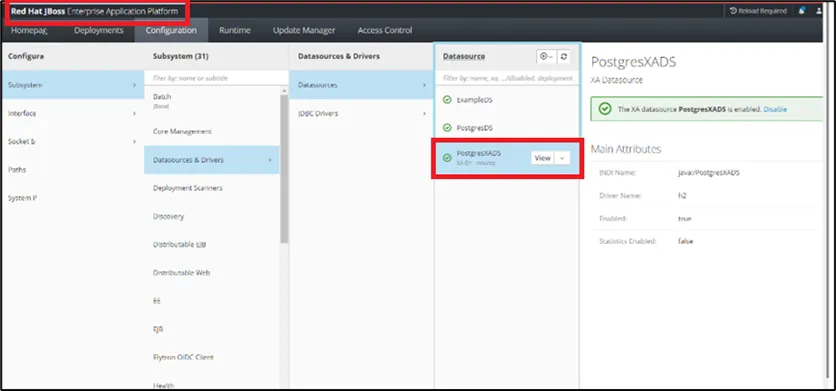
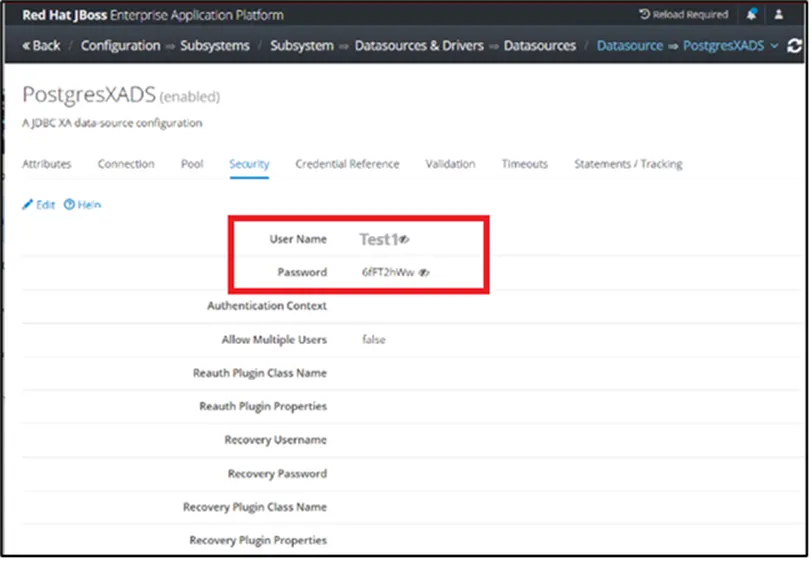
An Application Trigger Config definition must be made first.
- Navigate to Secrets > Configurations > Application Configuration.
- Click +Add and enter the parameters.
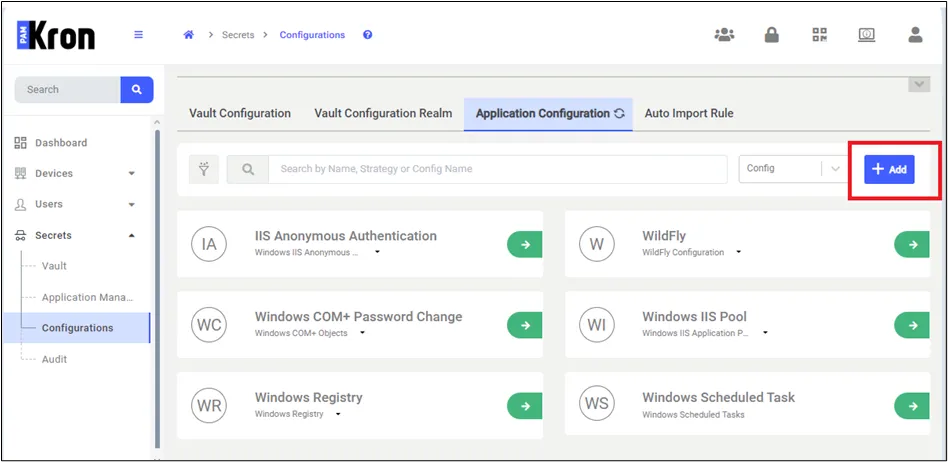
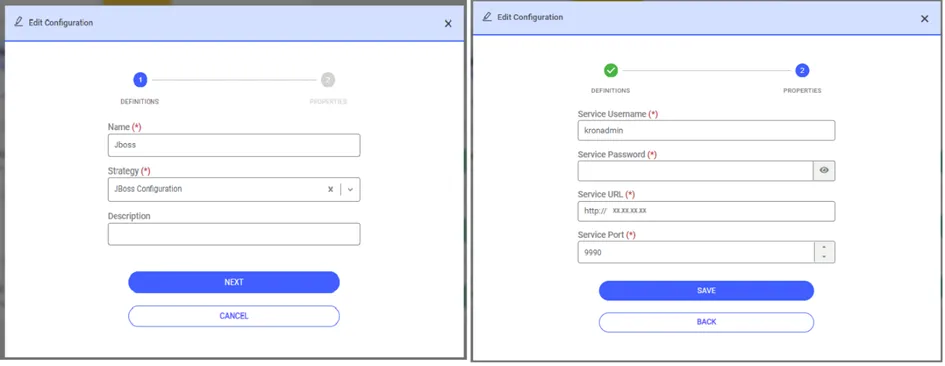
- Select JBoss as the strategy.
- The admin username (Service Username) and password (Service Password) information for connection to the JBoss dfly server needs to be saved. An HTTP connection will be used for the JBoss Strategy; therefore, you need to enter the JBoss Server IP and port.
- Click Save.
- Navigate to Secrets > Application Management.
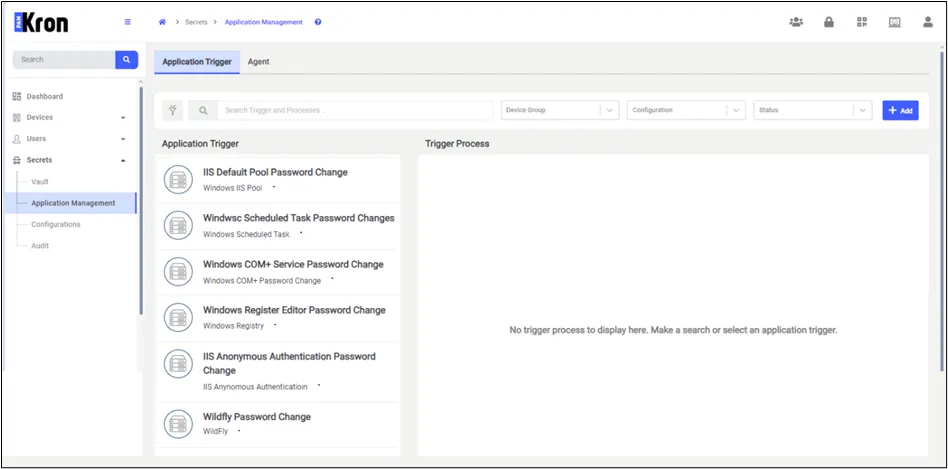
- Click +Add to add a new trigger.
- Enter the name of the trigger in the Name field.
- Select the Application Configuration.
- In the Data Source Name field, enter the JBoss Server Datasource name. Otherwise, the password value will not change because Kron PAM cannot find the relevant data source.
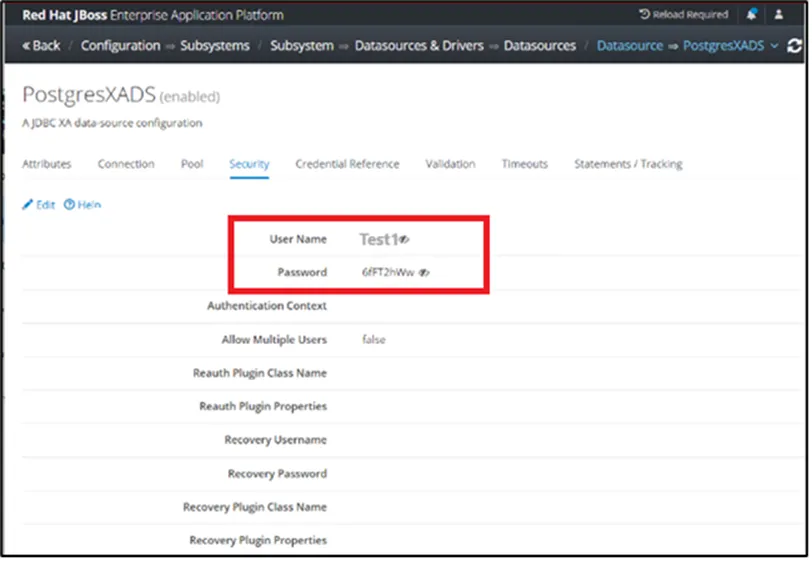
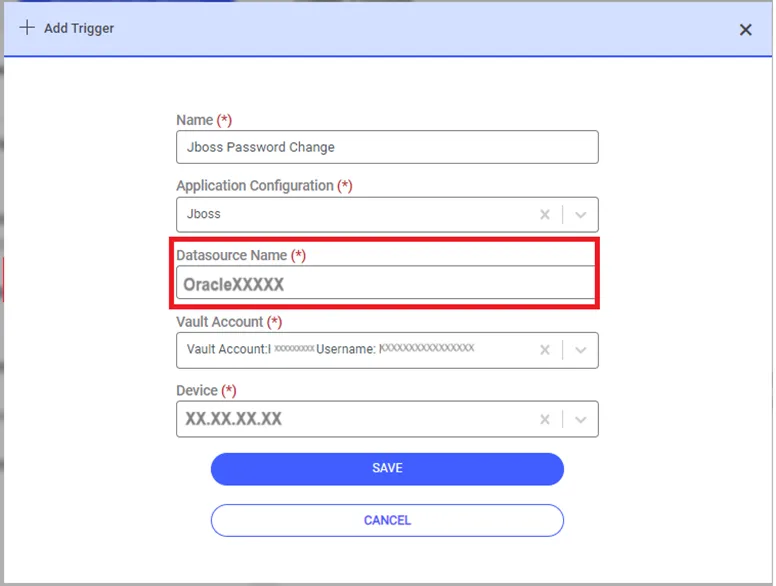
Select the Vault Account defined in Password Vault and the device where the JBoss Server is installed.
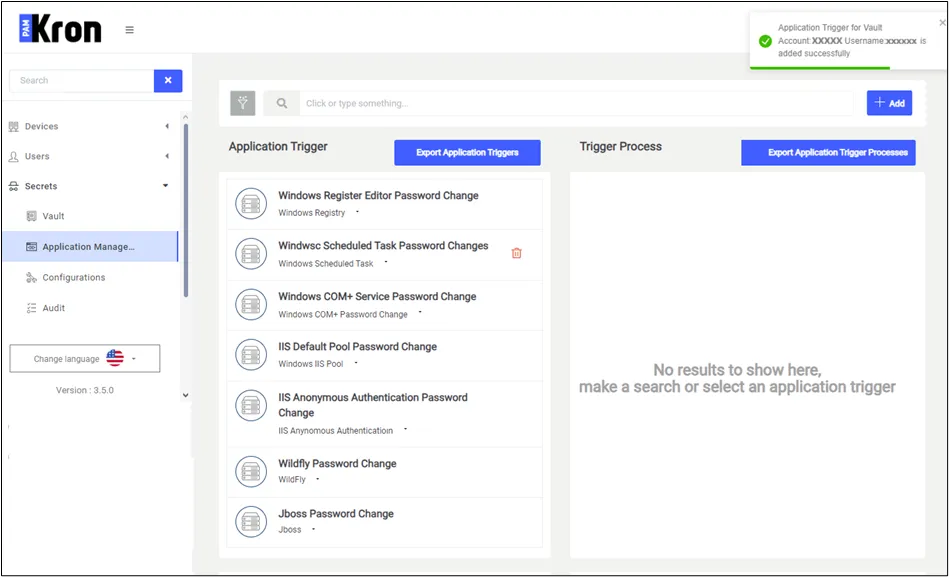
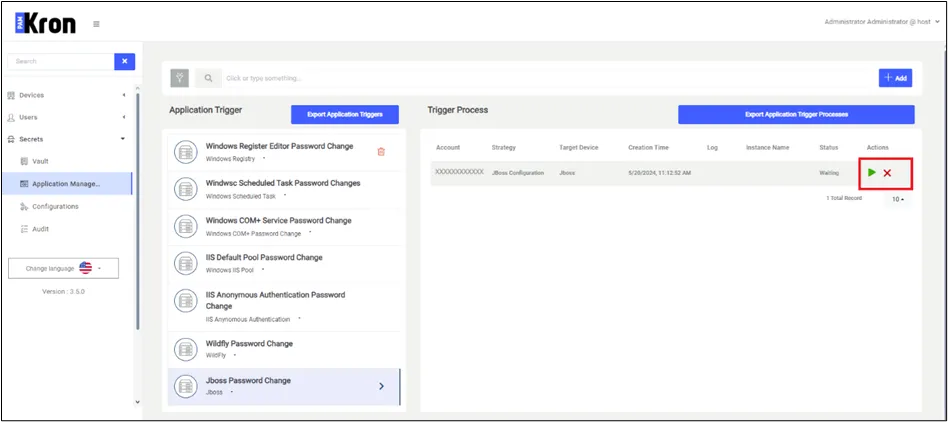
After the definition is completed, open the Vault screen and select the Vault account. Whenever the user selects the Vault account and click the Update or Reset Password option, Kron PAM will create a trigger and a password change will be performed, either automatically after some time or upon your manual request from the trigger process list shown on the application management page, as pictured below.