Change Account Password Manually
Sometimes an account password can be changed manually by another person directly on the target system. In such cases, the account password stored in Kron PAM can also be manually updated:
- Navigate to Secrets > Vault.
- Open the Vault tab.
- From the Actions menu of the selected account, select Update Password.
- The Update Password window opens.
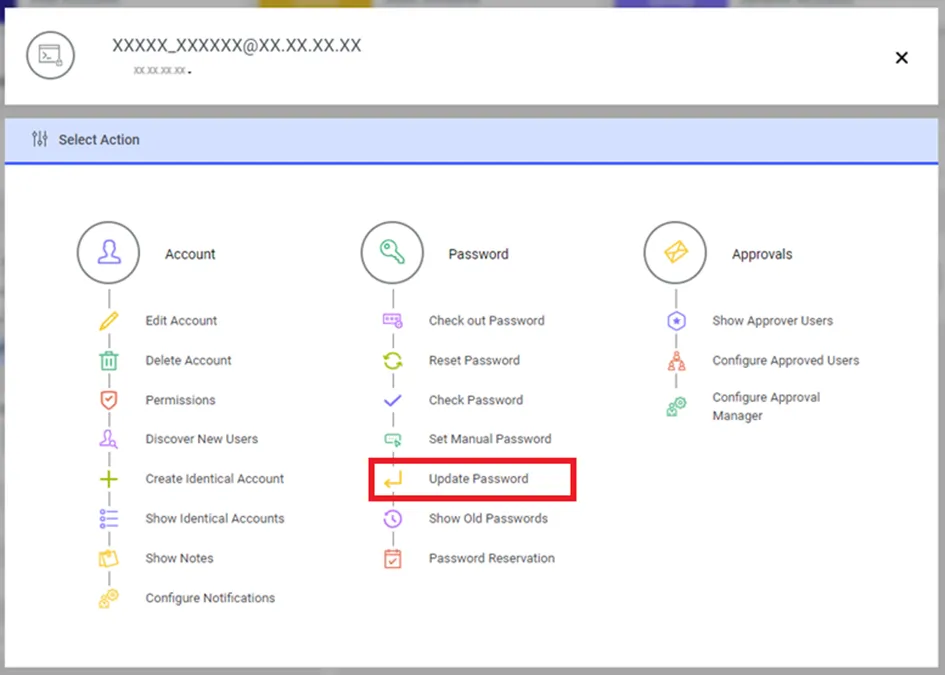
Changing Password Manually
- Update the password by entering the current and new passwords, then click Update.
- The new password value entered by the user on the screen will be masked with "*". If the user wants to see the password value clearly, they can click the ( eye ) button on the screen, and the password will be displayed without masking.
- Write a comment and click Save.
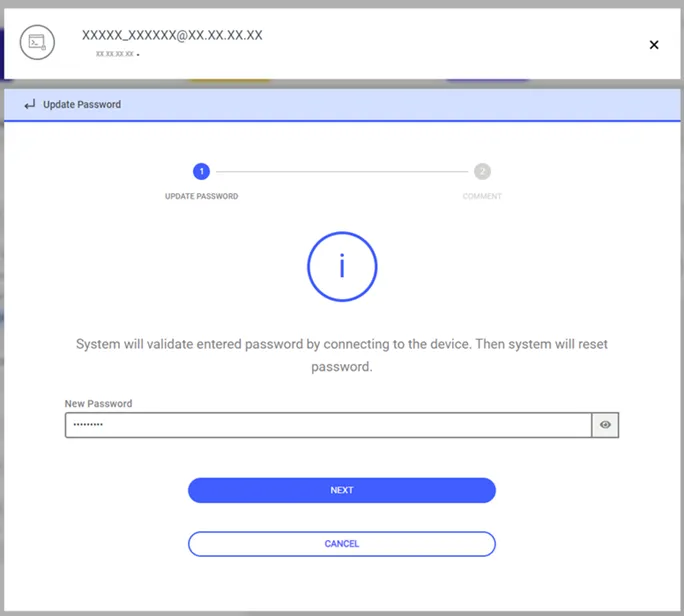
Update Password window
- Kron PAM will connect to the target device using the new password and reset the password again.
- If a dynamically configured static account's password in the Password Vault is incorrect, it can be updated manually.
- Static-configured static accounts can be updated without any control.
- The same can be done with SSH Keys.
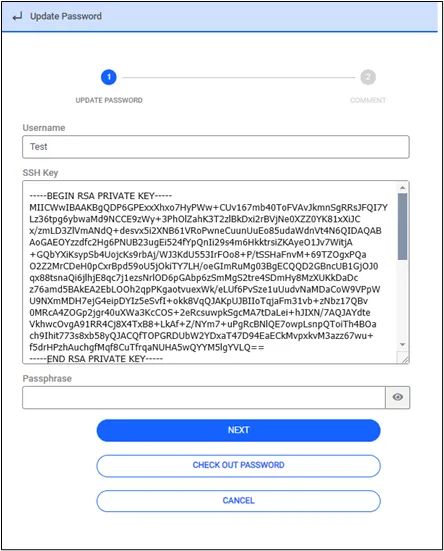
Update Vault with SSH_KEY configuration