Adding Devices Manually
Kron PAM creates a secure bridge between users and devices.
To add a device to Kron PAM:
- Navigate to Devices > Inventory.
- Click +Add.
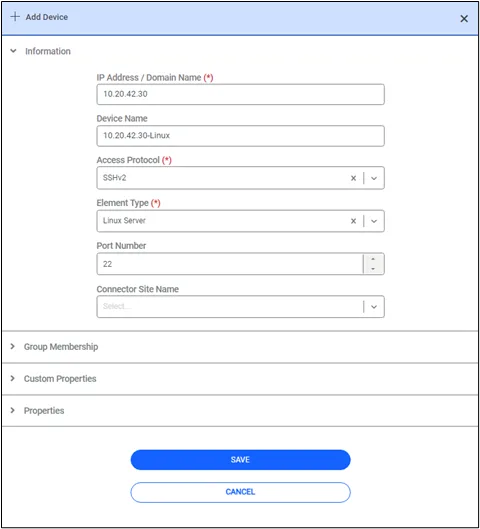
- Fill out the relevant information for your device.
- Save.
Some information on the fields in the Device Information section:
Access Protocol: Choose Access Protocol according to the connected device. E.g., SSHv2 for Linux devices, RDP for Windows devices.
Port number: If left empty, the default port for the Access Protocol will be used (22 for SSHv2 etc.).
Element Type: Select according to the type of connected device. E.g., Linux, Windows, etc.
Interface name: In certain inventories, some devices can have the same IP address. In this case, devices are managed by their interface names or VRF. The aioc.device.available.interface.names parameter must be defined in the System Config Manager to select the interface name for a device.
Device Group: Select the related device group. If there is no device group created or it is not known yet, you can leave the Device Group field empty and assign it later.