Assigning Kron PAM Credentials to Target System Accounts
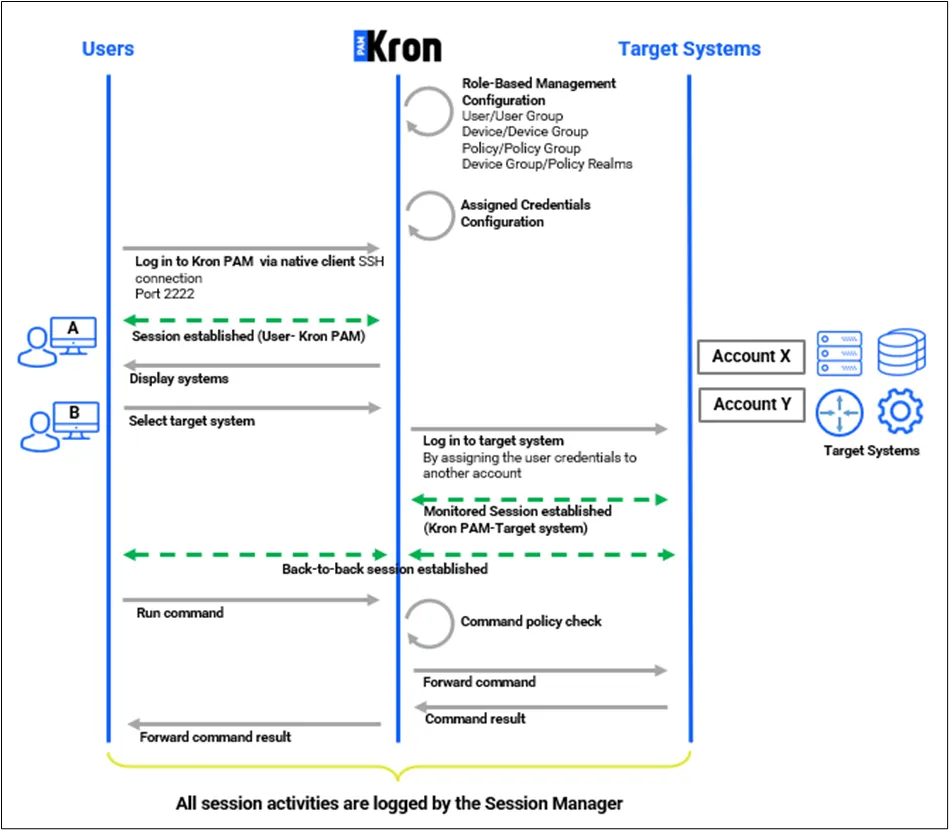
In some cases, there are more than one privileged user account in the target system and different user groups use different privileged accounts to log in to them. The Assigned Credential feature matches the Kron PAM users with different target device users from the Password Vault.
In the example below, User A wants to connect to the target system with Account X and User B wants to connect to the target device with Account Y. In this case, User A is assigned to Account X, and User B is assigned to Account Y.
The following steps should be followed to configure the Assigned Credentials feature and enable its use for a device group.
This device group should be added to a device realm with the user group including the users beforehand.
- Log in to the Kron PAM Web GUI as an administrator.
- Navigate to Devices > Inventory > Device Groups.
- Click the desired Device Group and select Properties.
- Click the Edit and then Next buttons.
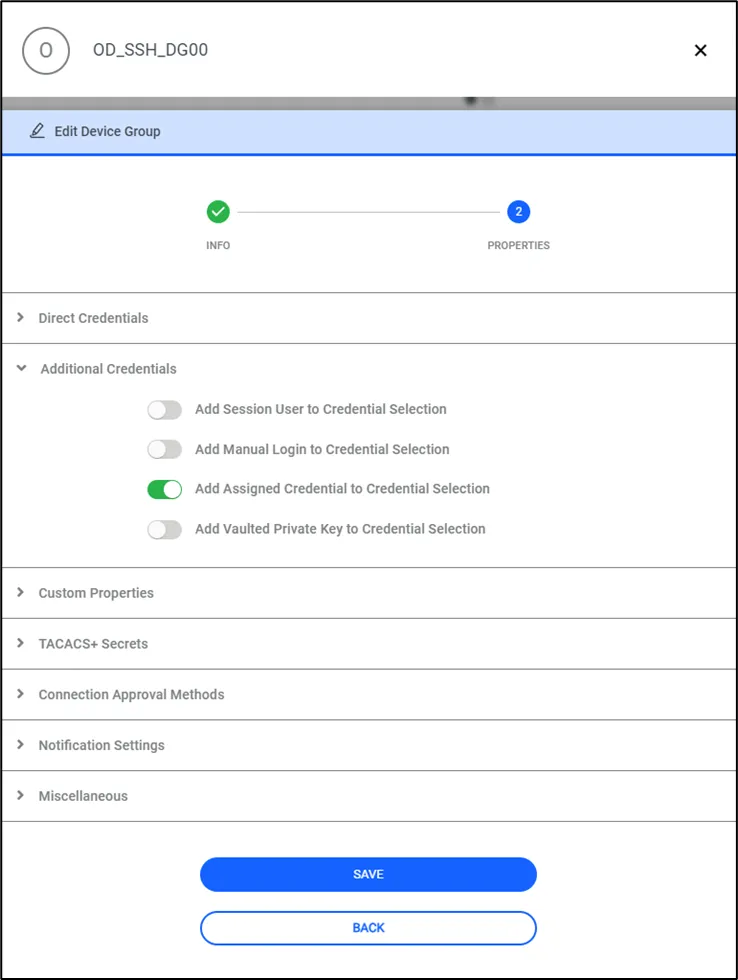
- Under the Additional Credentials toggle on the Add Assigned Credential to Credential Selection property.
To set up the assigned credentials for different users, save the accounts to the Vault before doing anything else. After saving these accounts, follow these steps:
- Log in to the Kron PAM Web GUI as an admin user.
- Configure the Vault account for the target system.
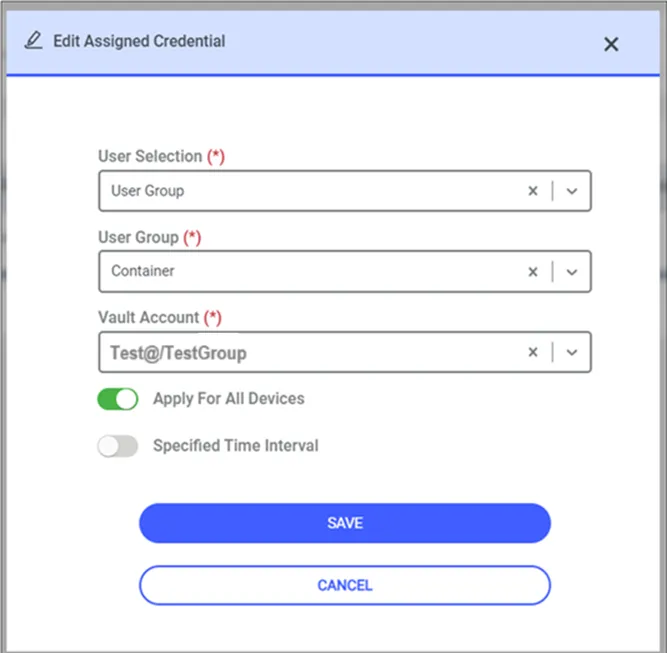
- Navigate to User > Assigned Credential.
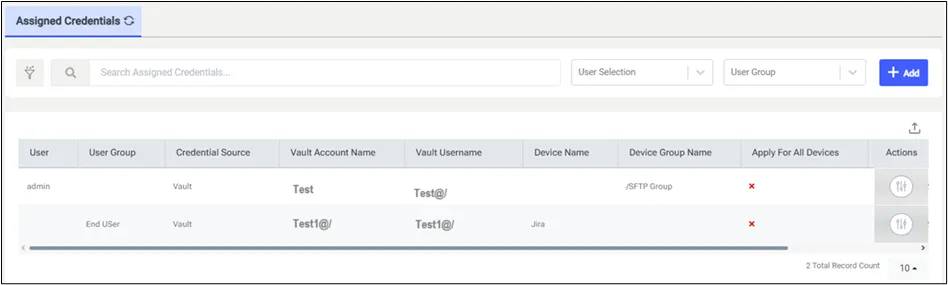
- Click the Add button and continue with User Selection and Vault Account Select the Kron PAM user as User and the Vault account as Vault Account.
- Click the Save button.
Once these steps are completed, assigned credentials will be used for the connection whenever the defined users try to open an SSH session.
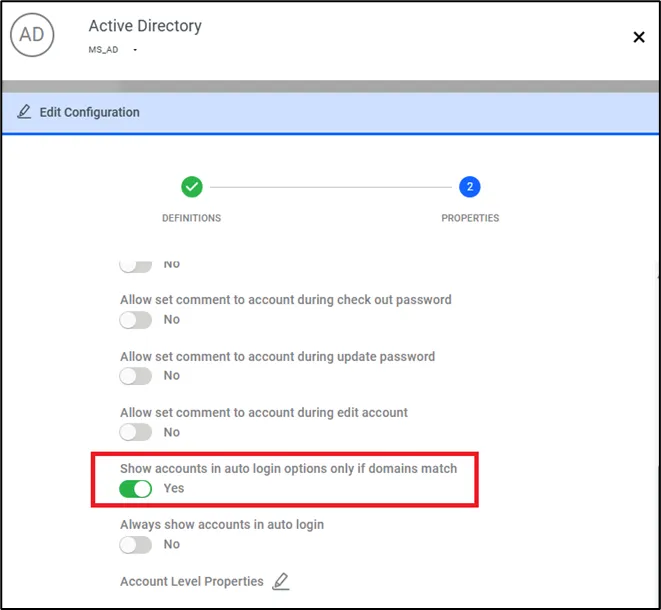
To list only the accounts matching the relevant domain when listing users from the Vault account before the SSH session, follow these steps:
- Navigate to Secrets > Configuration
- Choose Active Directory > Miscellaneous
- Set Show accounts in auto login options only if domains match
- Navigate to Connection and fill LDAP base DN according to the domain.
- Navigate to Devices > Inventory > Related Device > Custom Properties.
- Add auth.domain parameter with LDAP domain name.
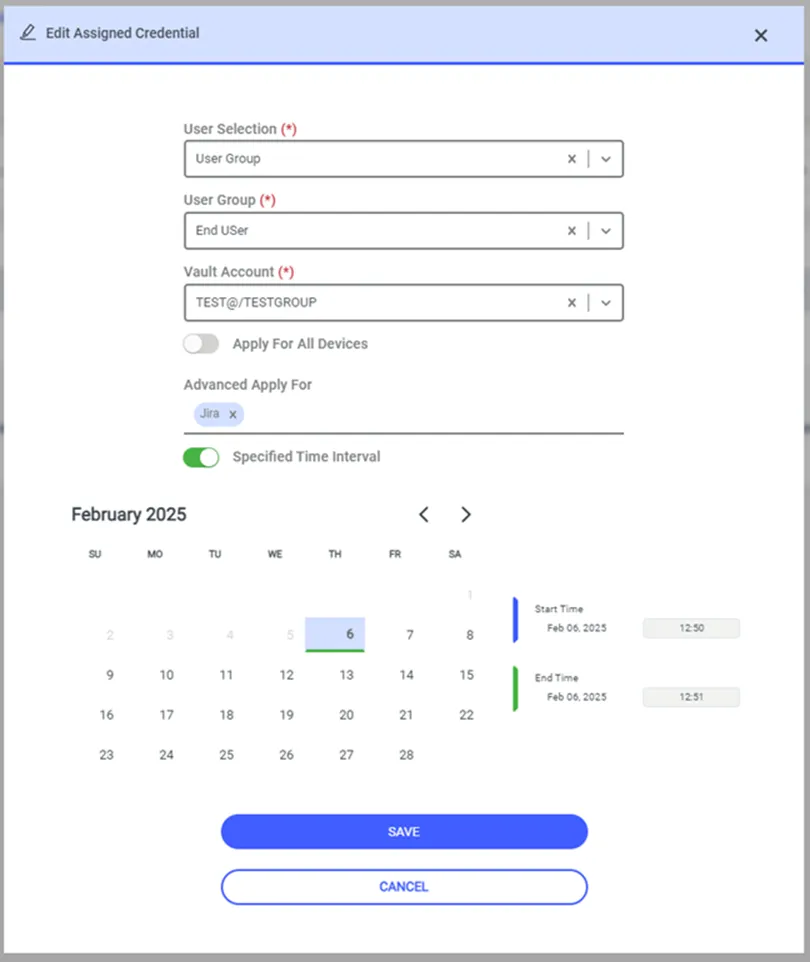
The Specified Time Interval option in the Assigned Credential screen makes it possible to connect and perform actions for Vault Accounts defined under Remote Application, SSH Proxy, and HTTP Proxy services within a specific time interval. Once the time has expired, credential assignment will end and the account is not going to be listed among connection options.