Check Out Account Password
Users with the necessary rights to see account passwords must check out the password.
To check out the password:
- Navigate to Secrets > Vault.
- Open the Vault tab.
- Search the Account from the Advanced Search Box.
- Select Check Out Password from the Options menu for the desired account.
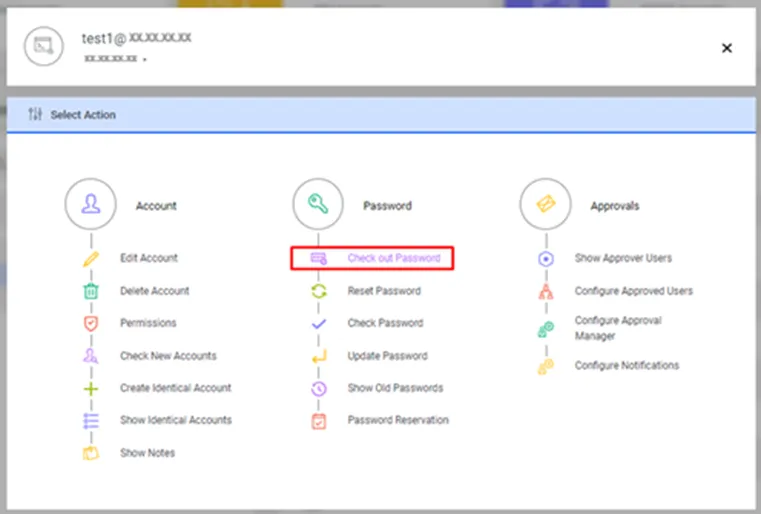
Show Password option in the Password Vault Account Options Menu
- Enter Expiration Time and Comments. Kron PAM automatically changes the password upon expiration. Existing sessions signed in with the old password can continue or be terminated during the password change process. To terminate sessions, the necessary commands must be added to post-command scripts.
- Click the Show button.
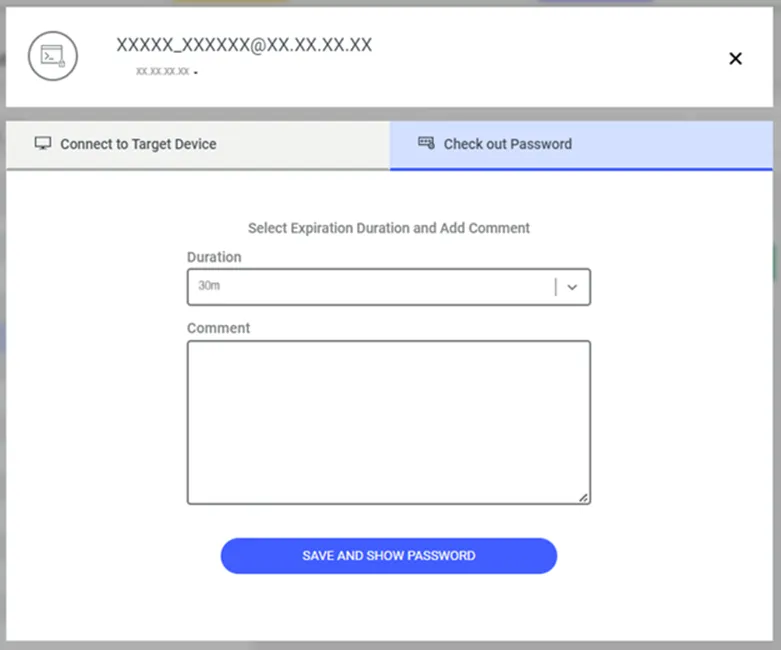
Check Out Password
- The password is shown in a hidden format in the Password pop-up window.
- Click the eye icon to see the password, click the Password text box to copy the password to the clipboard, or click the Send Mail button to send it via email.
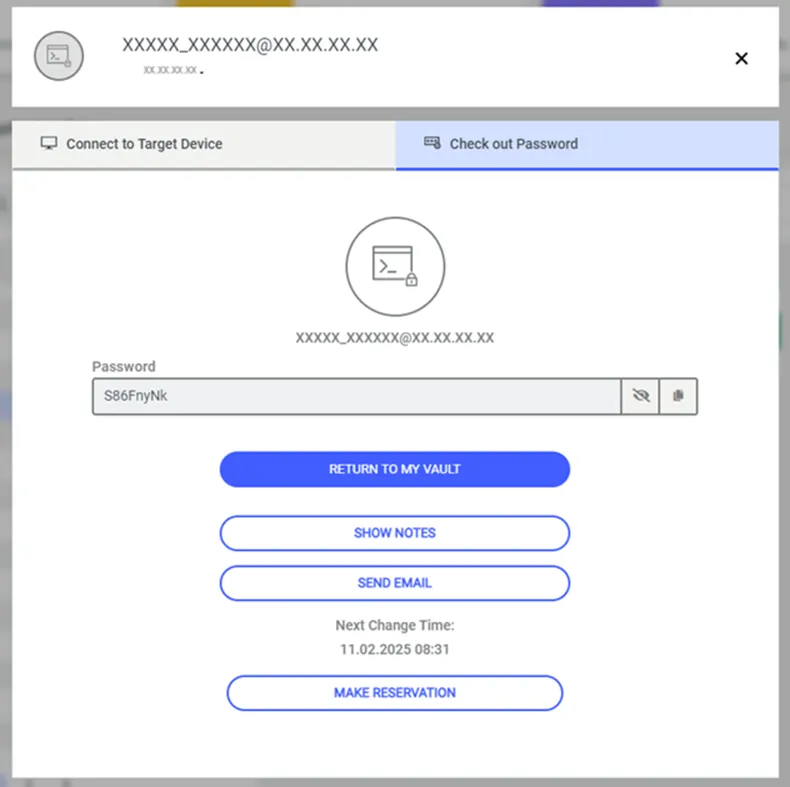
Pop-up check-out password
If the Vault account's configuration type contains the value SSH_KEY, the corresponding field has been expanded to display up to 65 characters to allow the full SSH_KEY value to be visible. Additionally, a button has been added to the screen to allow the SSH_KEY parameter to be copied. By pressing this button, the user can copy the SSH_KEY value to the clipboard and use it wherever needed.
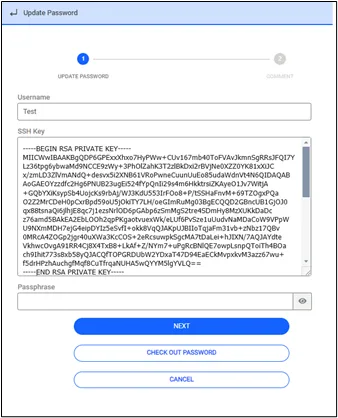
Check Out Vault with SSH_KEY configuration
- Possible values for the Expiration Time are configured with the sapm.show.password.expiration.time.values property from the System Config. Man. screen. The default value is “5m,30m,2h,24h”. Options are separated with commas, “m” stands for minutes, and “h” stands for hours.
- The minimum length of the comment (in characters) that should be entered during password check-out is configured with the sapm.show.password.comment.min.length property from the System Config. Man. screen.
- The Send Mail button that appears in the Check Out Password popup can be removed, by configuring the sapm.account.password.send.mail.button parameter as false in the System Config Manager.