Notification over SAPM Group
Notifications for Dynamic Accounts and Dynamic Configured Static Accounts can be set at the group level on the SAPM Group Management screen. The SAPM Group inherits notifications only for accounts under the group. Inheritance can also be applied to subgroups and subgroup accounts, if the SAPM Group has a tree structure.
To activate the notifications on the SAPM Group:
- Navigate to SAPM Management > SAPM Management.
- Open the SAPM Group Management tab.
- Select the group, right click the desired group, and select Configure Notifications.
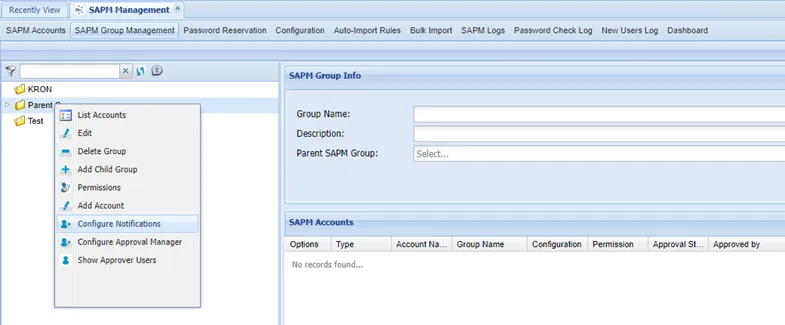
Configure Notifications for Group
- Select the User Group.
- Click Save.
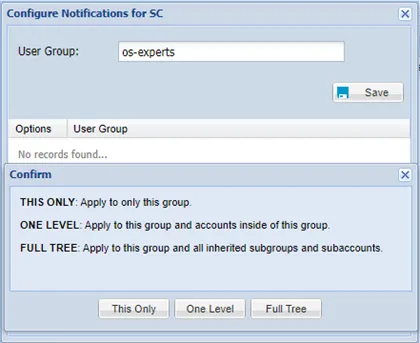
Configure Notifications for Group