Authorization via Geolocation
Policies can be managed by location. Authorization is also manageable via Geolocation, and the configurations are set in the Policy window. Admins can use this feature to define some policies as available from a specified location only. If a user runs the command from the specified location, they are allowed to run the command. If not, Kron PAM restricts the command.
To configure Geolocation settings for Authorization:
- Navigate to Policy Control > Session Policy.
- Open the User Location tab.
- From the Username drop-down menu, select Username.
- From the Type drop-down menu, select Geolocation.
- Enter the latitude and longitude, the max distance from the chosen location, and click Save.
- Open the Policy Group tab.
- Select the policies and pick Location Confirmation from the Action Menu
- Configure the Policy Realm for the defined policy group as well.
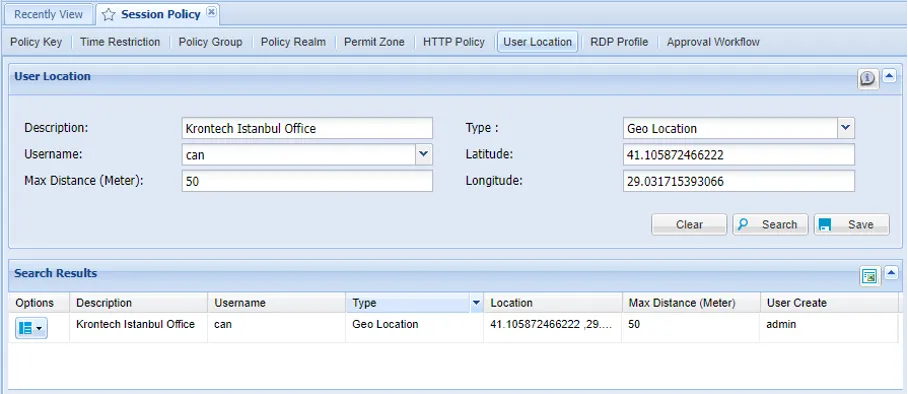
Geolocation Configuration for Authorization