Managing Approvals
1 min
- Navigate to Home Page > My Approvals.
- Enter search criteria, such as the IP, Approval Type, Approval ID, etc.
- Click the Search button to list matching requests.
- Click the request’s Actions button.
- Select Approve to approve the request.
- Select Reject to reject the request.
- (Optional) If you select the Approve or Reject options, you may enter comments in the pop-up.
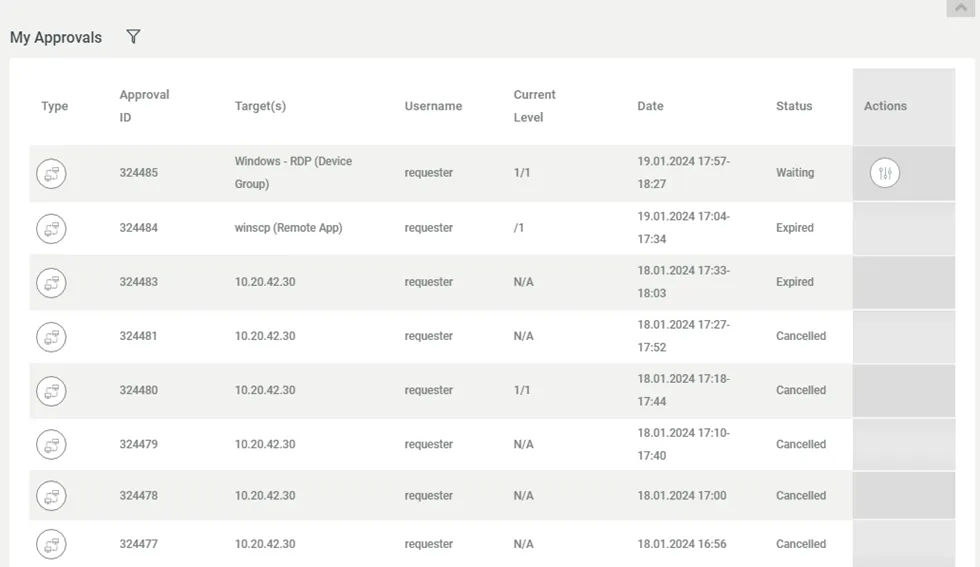
Approval Management Page