Getting Started with Mobile Client
2 min
Downloading the App
Download the Kron PAM Mobile Client from the App Store or Google Play Console Store.
Connection Settings
If you downloaded the Kron PAM Mobile Client for the first time, you should add Kron PAM to your Kron PAM Mobile Client and log in with your user.
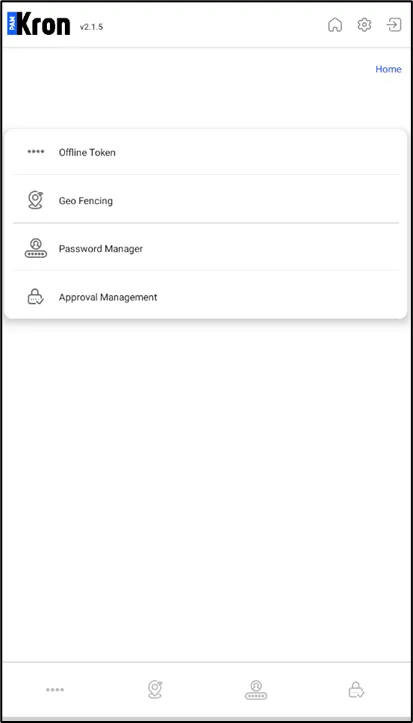
Kron PAM Mobile App
To Configure your Kron PAM Mobile Client:
- Tap on Settings and then Connection Settings.
- Enter your Kron PAM’s IP address (e.g.,10.10.10.10) or domain name (e.g., mobile10.kron.com.tr) in the Kron PAM URL and add the Port (e.g., for HTTP the port could be 9080 or for HTTPS the port could be 9443 and make sure to toggle the Use SSL option on).
- If you have a self-certificate on the Kron PAM server, you can enable Ignore Certificate Errors.
- Save.
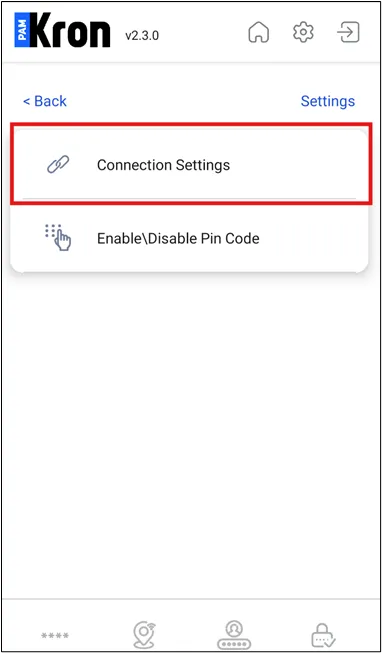
Connection Settings
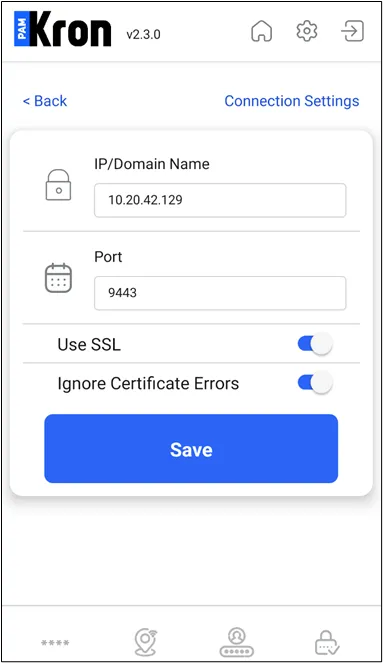
Connection Settings