OpenVPN Connection Information
14 min
Single Connect Application Install
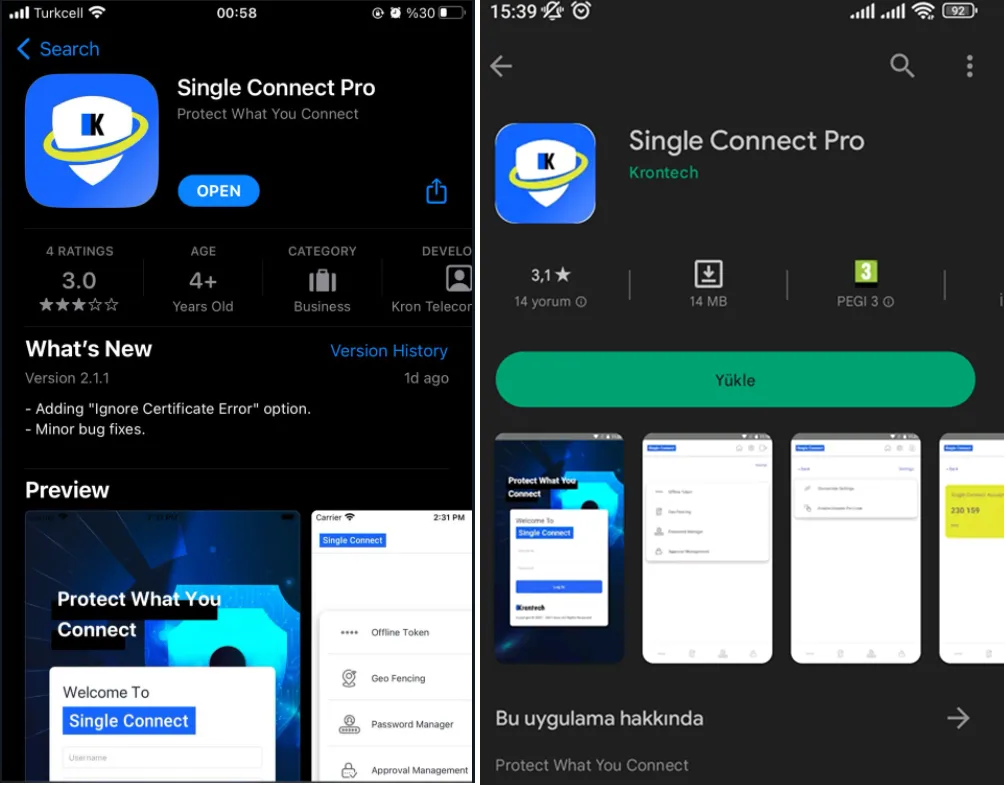
Apple / Google Store Single Connect Application
2FA Authentication QR Code
QR code is sent to users via e-mail and integrated via Single connect Application Offline token.
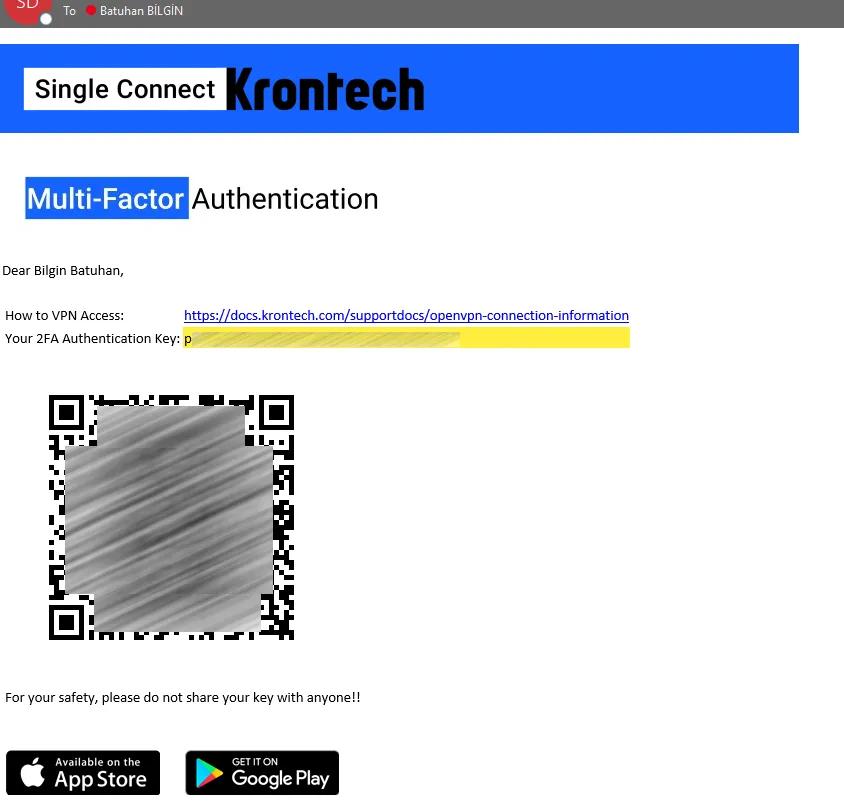
User specific QR code email example
Single Connect QR Code Scanning
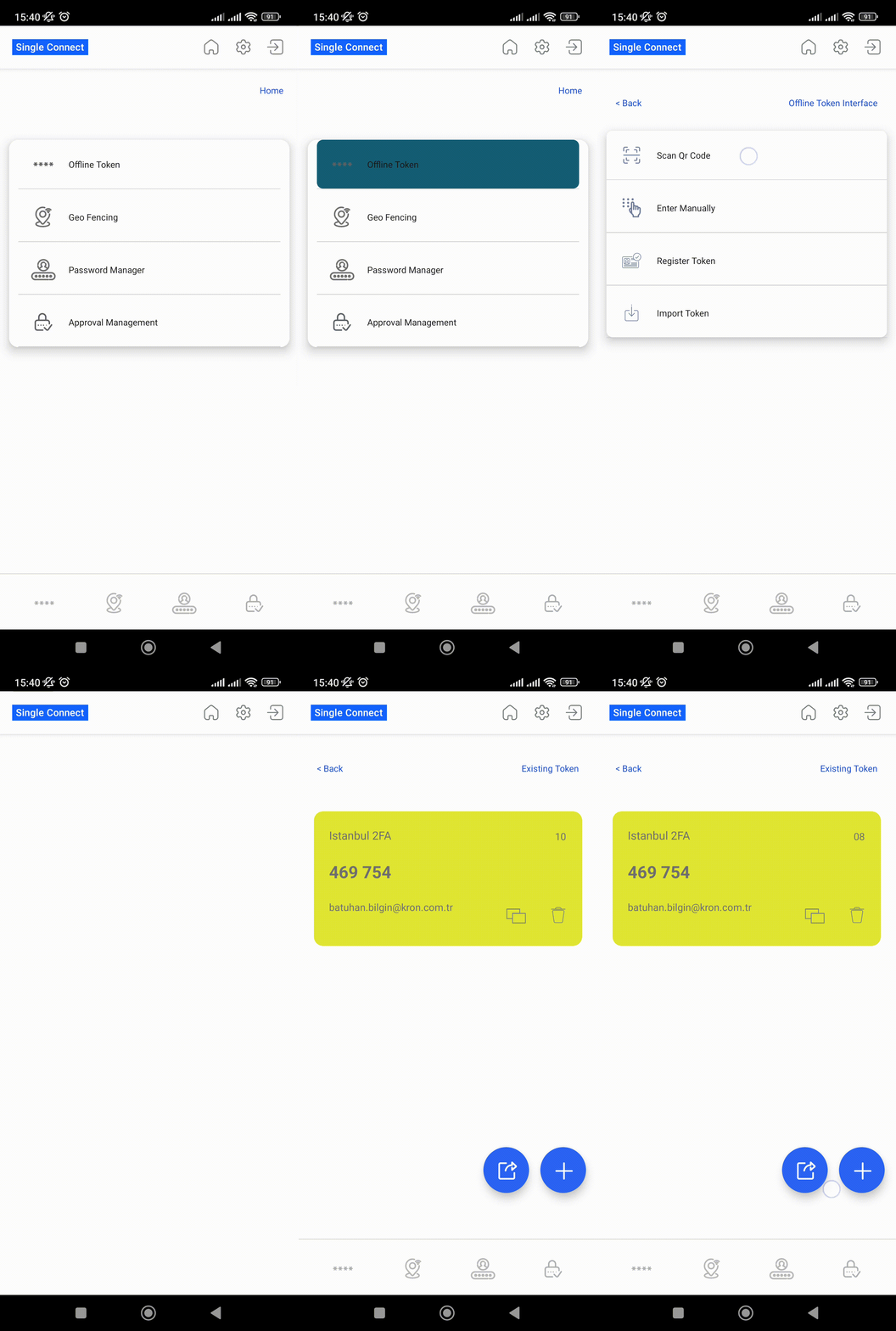
QR Code ScanUser specific QR code email example
OpenVPN Access Configuration
Open VPN client is downloaded from the link below
OpenVPN Client ovpn file import
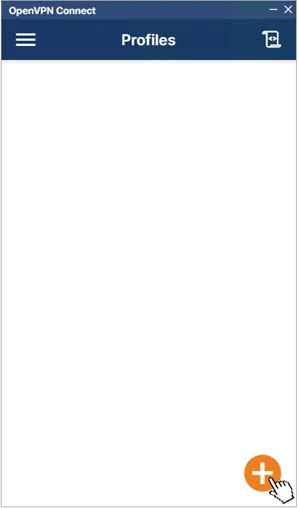
Step-1
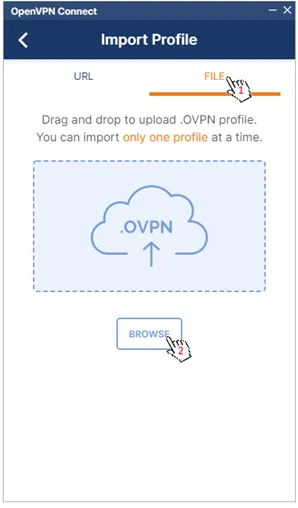
Step-2
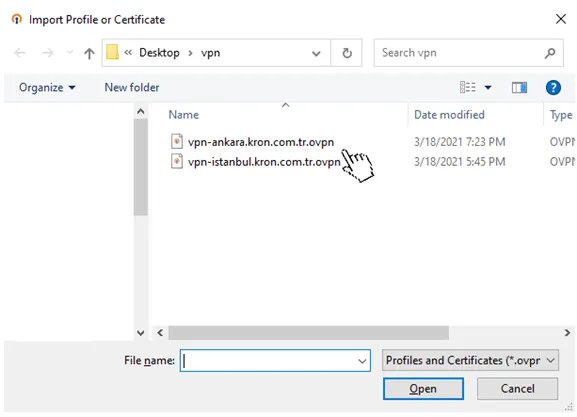
Step-3
OpenVPN Connection
After the password is written in the password entry field, the six digits token information must be written together. Six digits token information is obtained from the Single Connect mobile application.
Example: {Password}{Token} -> passwordbatuhan664337
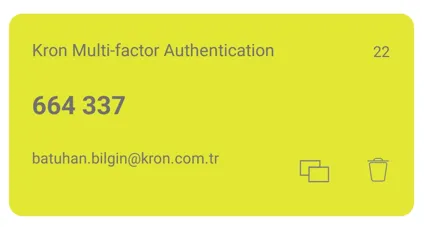
Single Connect Application Offline Token Example
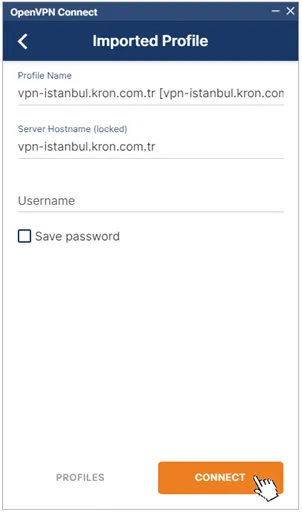
Step-1
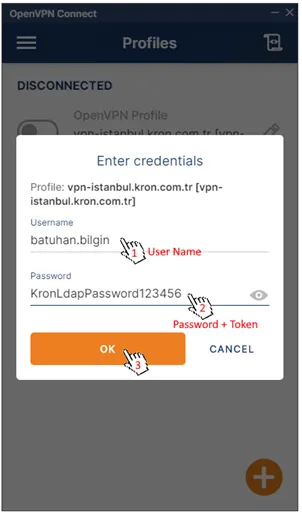
Step-2
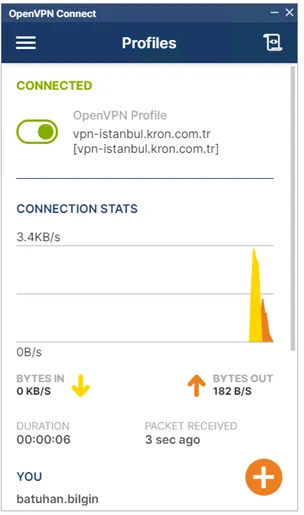
Successfully Connection
Certificate Configuration
Certificate File PKCS#12
Istanbul VPN Certificate File
Ankara VPN Certificate File
Import Certificate
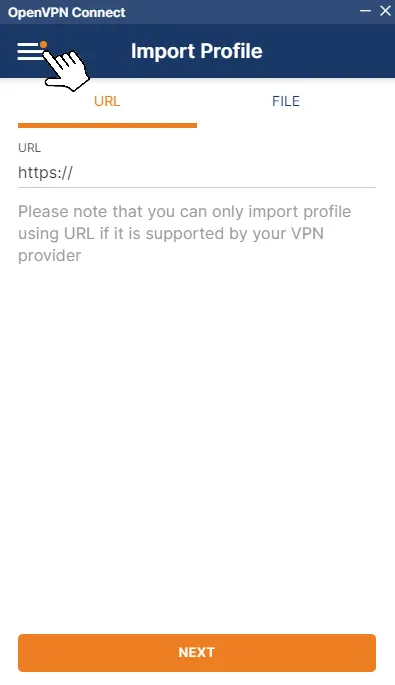
Select Menu
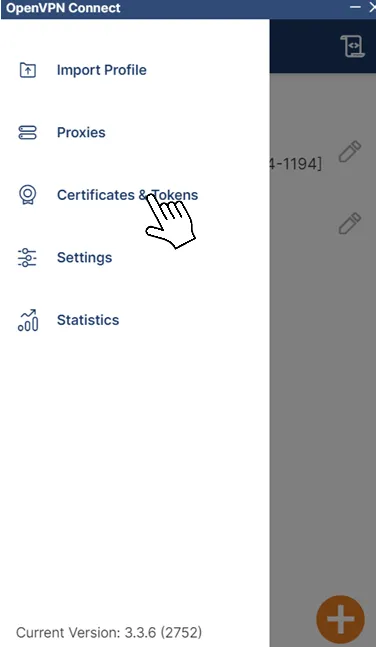
Press Certiicates & Tokens
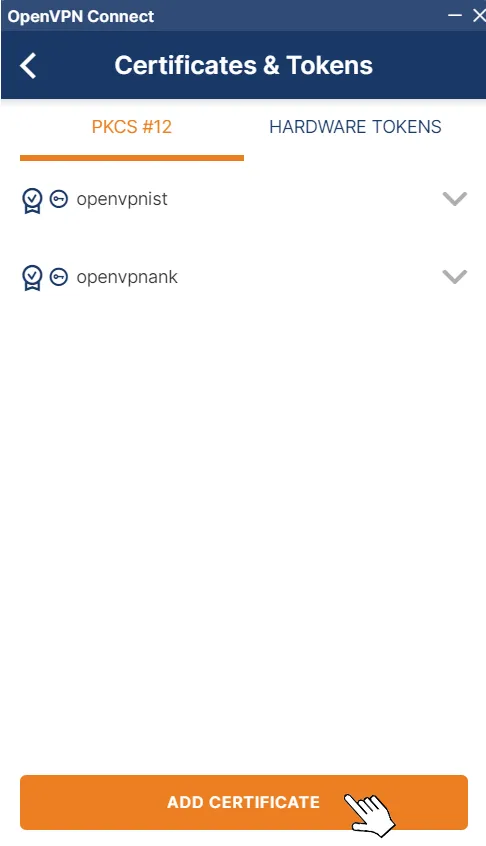
Add Certificate
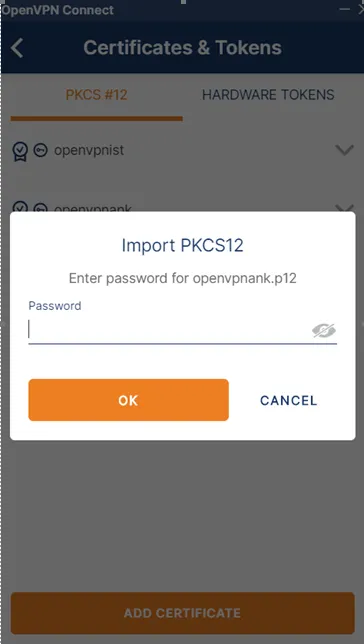
Enter Certificate Password
Certificate Password : 1qaz2wsx
Assign Certificate for vpn profile
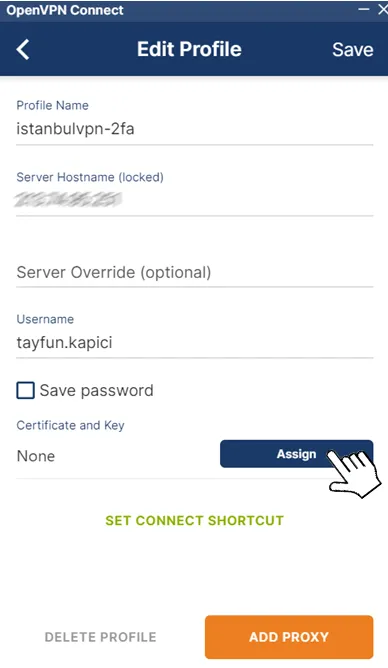
Edit Profile Then Assign
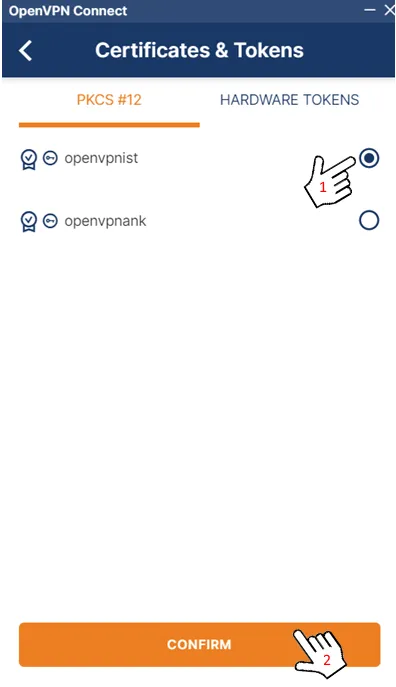
Select and Confirm