Device Groups and Realms
8 min
Add Device Group
To add a Device Group, fallow the steps bellow.
- Login to Single Monitor Web GUI.
- Navigate to settings Device Groups.
- From Top right corner click on Add Device Group.
- Fill the required fields on the pop-up screen.
- Click ok.
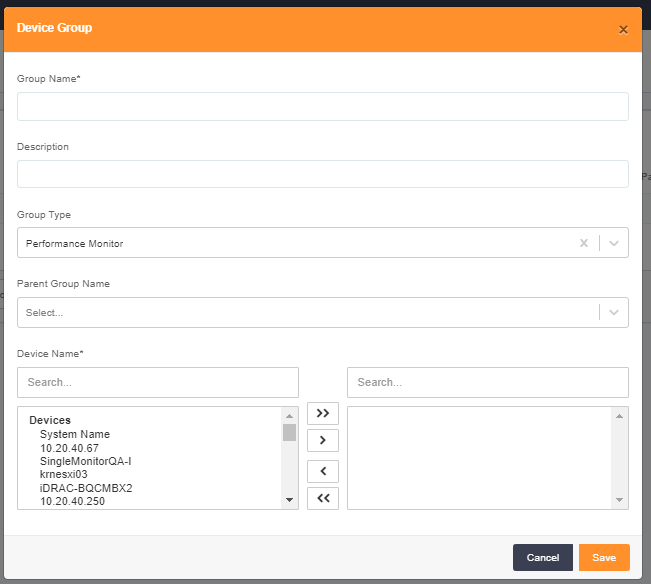
Add Device Group
Delete Device Group
For Deleting Device Groups fallow the steps bellow.
- Login to Single Monitor Web GUI.
- Navigate to settings Device Groups.
- From the top right corner click on Device Groups.
- Select the Group that you want to delete from the check box next to the Group name.
- Scroll down to bulk actions select delete from there and confirm.
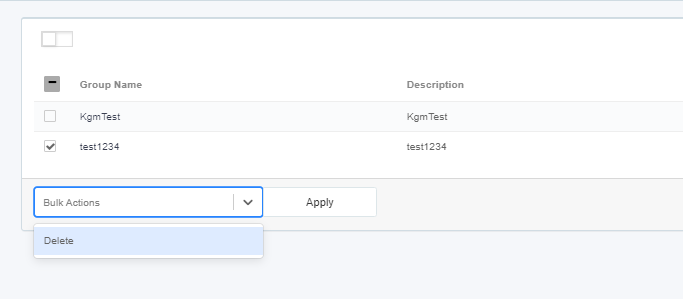
Delete Device Group
Edit Device Group
For Deleting Device Groups fallow the steps bellow
- Login to Single Monitor Web GUI.
- Navigate to settings Device Groups.
- From the top right corner click on Device Groups.
- Click on the Name of the device group that will be edited.
- Click ok after making the changes.
Add Device Realm
To add a Device Realm, fallow the steps bellow.
- Login to Single Monitor Web GUI.
- Navigate to settings Device Groups.
- From Top right corner click on Add Device Realm.
- Fill the required fields on the pop-up screen.
- Click ok.
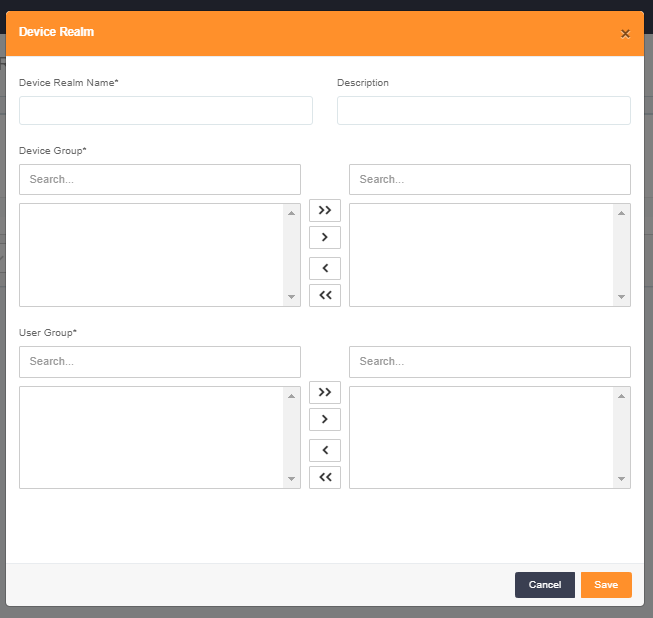
Add Device Group
Delete Device Realm
For Deleting Device Groups fallow the steps bellow.
- Login to Single Monitor Web GUI.
- Navigate to settings Device Groups.
- From the top right corner click on Device Realm.
- Select the Realm that you want to delete from the check box next to the Realm name.
- Scroll down to bulk actions select delete from there and confirm.
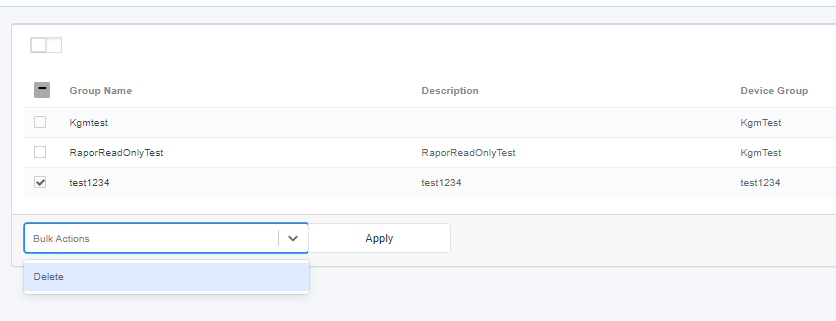
Delete Device Realm
Editing Device Realms
To edit Device Realms fallow steps bellow.
- Login to Single Monitor Web GUI.
- Navigate to settings Device Groups.
- From the top right corner click on Device Realm.
- Click on the Name of the device realm that will be edited.
- Click ok after making the changes.
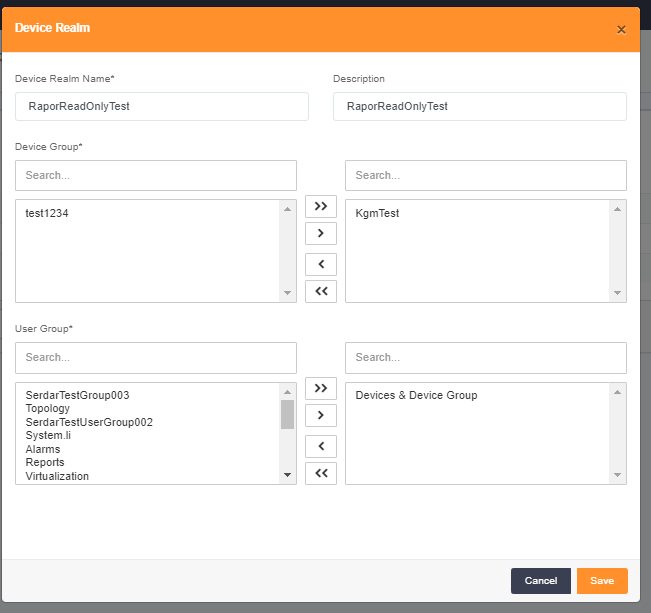
Edit Device Realm