RDP Idle Session Timeout Settings
1 min
User sessions can be terminated based on idle time. To set a timeout limit:
- Navigate to Administration > System Config Man on the Single Connect Web GUI.
- Set the following parameters: rdp.idle.session.timeout= 5 (means 5 minutes) rdp.idle.session.timeout.warning.before.min = 2 (means 2 minutes) The rdp.idle.session.timeout.warning.before.min parameter decides when the pop-up will be displayed for the user.
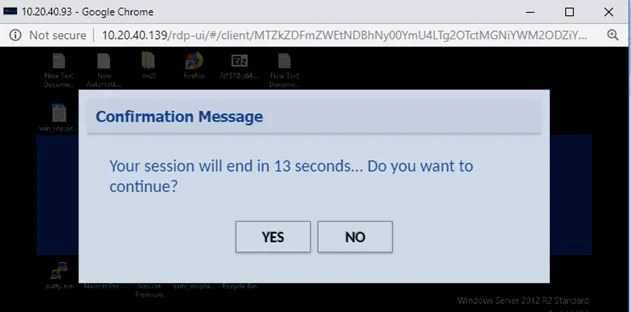
Idle Timeout