Managerial Approval for SSH Proxy Connections
Privileged users’ SSH connections to target devices can be monitored with managerial approvals prior to establishing the connection.
To enable managerial requests and approval via email for users connecting to devices, the approvalRequiredForConnection property must be set as true on the device group with the target devices.
Refer to the Managerial Approval for Connections section for additional details.
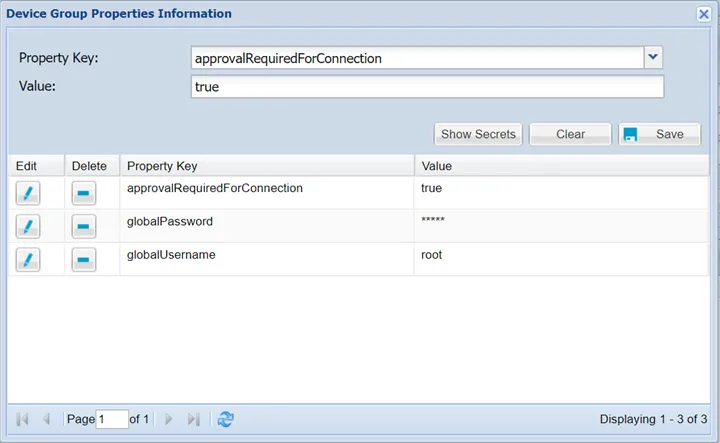
When the Managerial Approval feature for a user is set as true, an approval request email is sent to his/hers group manager. For each attempt, a new approval email is generated and sent to the manager.
A parameter can be configured to limit the number of connection request emails sent to the group manager for a certain connection:
- Establish an SSH connection to the Single Connect server.
- Set the required parameter in /u01/nssoapp/conf/nsso.properties with the commands below: cd /u01/nssoapp/conf/ vi nsso.properties
- Add/edit the following parameter with the vi editor: nsso.approval.email.timeout = 0 (default value is “0” and the value label is in seconds)
- After the parameters are set, save, and exit the vi editor and restart the nssoapp with the command: systemctl restart nssoapp
This parameter prevents Single Connect from sending too many emails to the manager for each repetitive attempt. For example, if the parameter is set to 300 seconds, and a user attempts to connect to a device more than once in five minutes. Only one approval email will be sent to the manager to approve/decline the connection request. If the admin wants the managers to receive only one approval email for each attempt, the parameter default value of zero can be used.