Listing GCP Devices
3 min
The imported GCP devices are listed in the Device Inventory.
- Navigate to Device Management > Device Inventory.
- GCP Devices with specified tags will appear inside the Device Group recently created.

Imported GCP Devices
GCP Instances are automatically synchronized with Single Connect but the Device Realm and the Policy Realm should be set manually for user accessibility to the devices as well as for policy enforcement.
Devices can be displayed in the SSH Proxy by using an SSH client. To list devices with their tag info, define the nssoapp properties below, so that the devices can be listed with tags in the SSH Proxy:
- Connect to Single Connect via the SSH client as a Single Connect admin user
- Set the following parameter in /u01/nssoapp/conf/nsso.properties nsso.show.device.tag.names Ex: nsso.show.device.tag.names=office, server-type, owner, customer
- Restart the ssh proxy with the command: systemctl restart pam-ssh
After this configuration, GCP devices in SSH Proxies will be displayed with their tags.
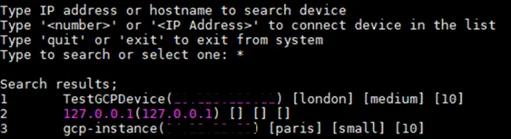
GCP Tags
It is also possible to list the devices with more detail. To do this, add “;-l” to the end of the search query.
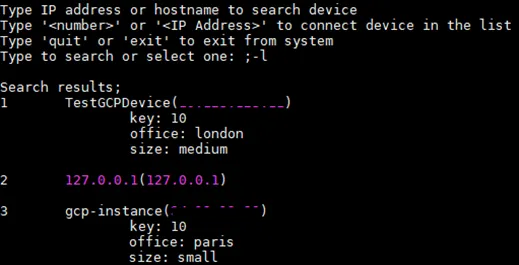
GCP Tags