Data Discovery
Discovery processes are applied to selected tables by determining the percentage of expected matched data and number of rows to be scanned.
- Navigate to Sensitive Data Discovery.
- Open the Discovery tab.
- Select the Database, Schema, Table, Pattern, Sample Data Count, and Expected Matched Percentages.
- Click the Discover button.
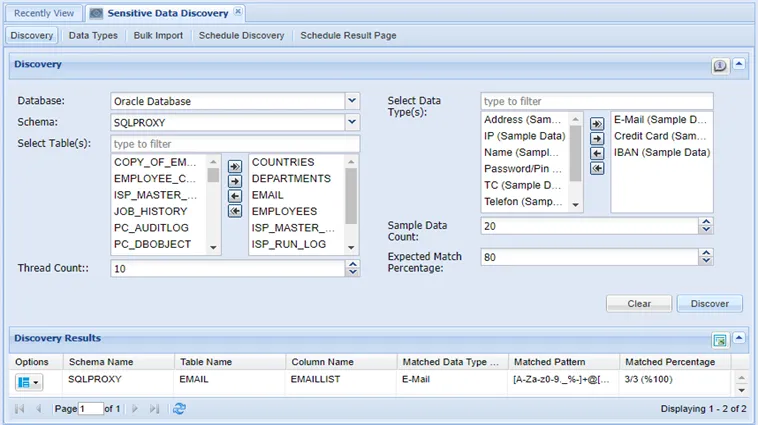
Thread Count: The parallel connection count that will be opened on this database when discovering sensitive data.
The default value seen when the page is opened is 10. The default value can be changed by setting the sdd.thread.count.default parameter in the System Config Manager. The minimum value of the count is 1 and the maximum value can vary.
If the Max. Thread Count for Sensitive Data Discovery parameter is set in the data source definition, the value is the maximum value the thread count can take. If the maximum value is not defined in the data source, the sdd.max.thread.count parameter value defined in the System Config. The manager is the maximum value the thread count can take. The sdd.max.thread.count default value is 500.
Sample Data Count: Sample data count to be scanned for sensitive data discovery. For example, if this value is 10, the first 10 rows of the table columns are scanned.
Expected Match Percentage: The discovered data is listed in the search results when the scanned data is matched in rate with the expected match percentage.