Assigning a Manager to a Group
2 min
The SAPM Admin user assigns managers to the select group from the SAPM Group Management tab. To assign a manager to a group:
- Navigate to SAPM Management.
- Open the SAPM Group Management tab.
- Right-click the desired group in the tree, and select the Configure Approval Manager option from the drop-down menu.
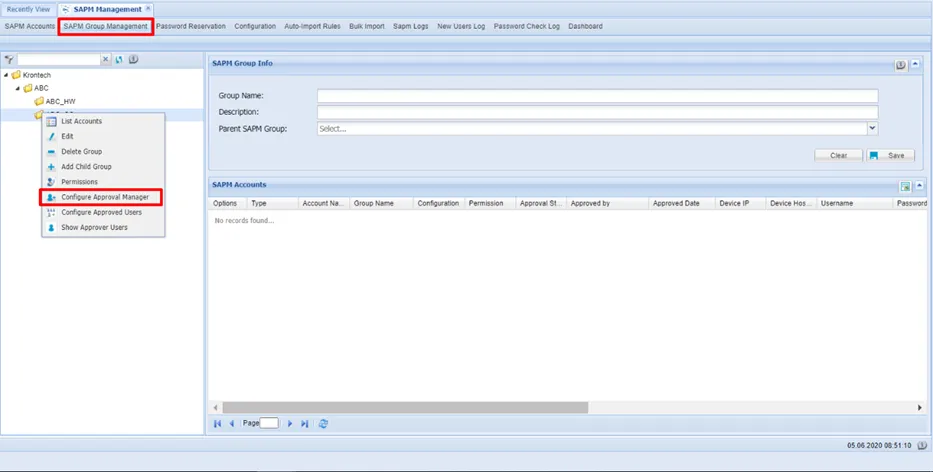
Assigning a Manager to a Group
- Select the Manager User group(s).
- Click Save.
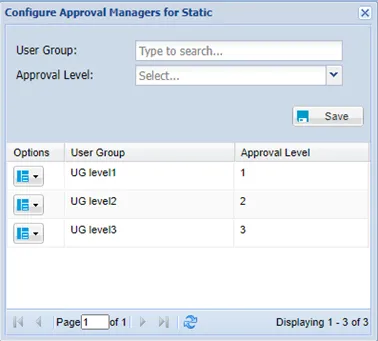
Configure Approval Manager Screen