Adding Auto Import Rules
2 min
If there are a lot of accounts on the target devices with the same username and password, the Auto Import function can be used to add SAPM Accounts, with a job running periodically to detect these usernames and import them to SAPM. For example, if multiple virtual servers are created every day using the same username and password on the template, this feature can be used to import all these accounts to SAPM daily. To use this feature:
- Navigate to SAPM Management > SAPM Management.
- Open the Auto Import Rules tab.
- Enter the rule name, device group, element type, SAPM configuration, SAPM username, password, and change period.
- Click Save.
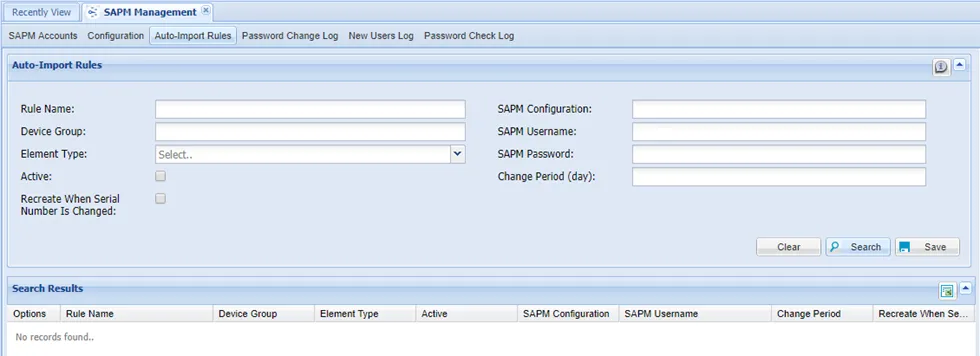
SAPM Auto Import
To change the number of threads running the SAPM Auto-Import jobs, the sapm.job.password.change.thread.count parameter should be changed from the Administration > System Config Man. page. The default value is 5.