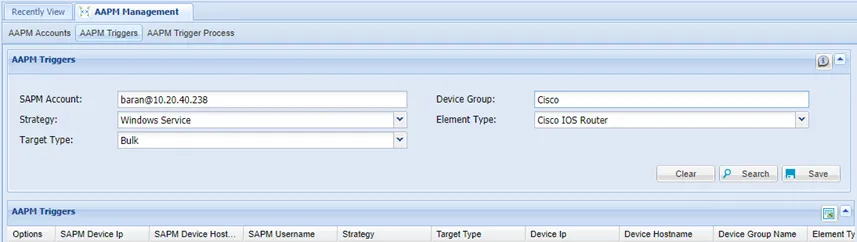
AAPM Triggers
Another way to have client applications work with dynamically changed passwords is by restarting the client apps with the new passwords, after an SAPM account password has been changed. AAPM Triggers are defined for this purpose. When defined, the Password Vault connects to the server running the client apps and restarts the apps with the new password.
To define AAPM Triggers:
- Navigate to AAPM Management > AAPM Management.
- Open the AAPM Triggers tab.
- Select the SAPM account used to trigger a restart after the SAPM account password change.
- Select the Strategy.
- Select the target type as either Single Device or Bulk.
- Select a device if you selected Single Device target type, or select the Device Group and the Element Type if Bulk target type is selected and click Save.
When an SAPM account password changes and an AAPM Trigger is set off, an AAPM Trigger Process record is created for each matching device, associated with the relevant AAPM Trigger definitions. To search for these process records, using the AAPM Trigger Process tab:
- Navigate to AAPM Management > AAPM Management.
- Open the AAPM Trigger Process tab.
- Fill in the related fields and click Search.
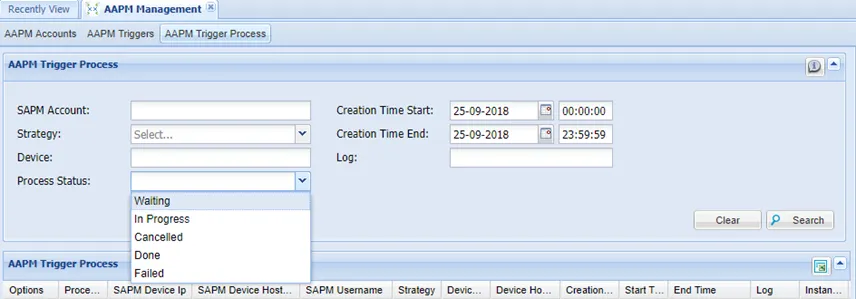
The initial status of this process is Waiting. To trigger this process at a specific time, the AapmTriggerProcessJob job must be defined in the Jobs Scheduler:
- Navigate Administration > Jobs Scheduler.
- Open the Trigger List tab.
- Select AapmTriggerProcessJob as the Job.
- Fill in the Trigger Name and Cron Expression fields.
- To enable the job, select Enabled for the Active field and click Save.
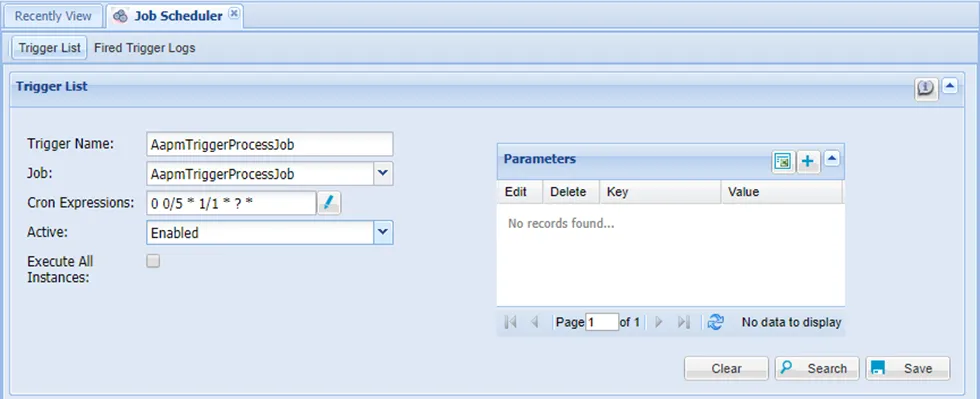
Regardless of how many AAPM Triggers are set, running only one AAPM Trigger Process Job is enough to run all triggers.
To define the AAPM Strategy:
- Navigate to AAPM Management.
- Open the Configuration tab.
- Click the Options button to Show Properties.
- Define the properties.
Samba Strategy:
Parameter Name | Parameter Value |
|---|---|
ldap.username.dn.template | Active Directory User |

WinRM Strategy:
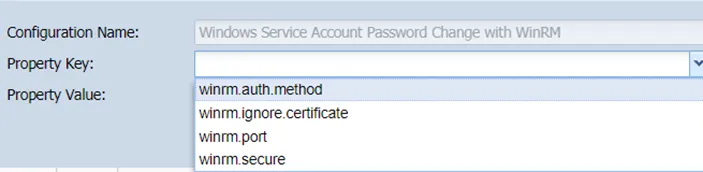
In the AAPM Configuration, the following parameters can be defined by selecting the Windows WinRM Service. The default values are listed below.
Parameter Name | Parameter Value |
|---|---|
winrm.port | 5986 |
winrm.secure | true |
winrm.ignore.certificate | true |
winrm.auth.method | NTLM |
WebLogic Strategy:
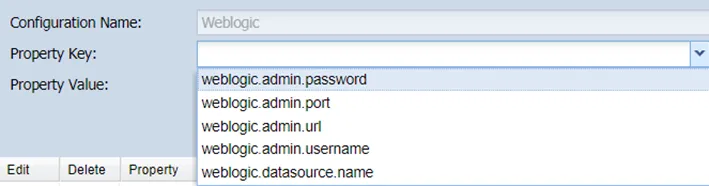
The values of the following properties can be specified in the Properties pop-up window on the AAPM Configuration screen:
Parameter Name | Parameter Value |
|---|---|
weblogic.admin.url | ${deviceURL} or ${deviceIp} |
weblogic.admin.port | If $ {devicePort} is written for weblogic.admin.port, the information of the device defined by the sapm side is used. |
weblogic.admin.username | User information connecting to Weblogic. |
weblogic.admin.password | User password connected to Weblogic. |
weblogic.datasource.name | Driver JDBC Connector. |