Editing Secret Data Vault Groups
1 min
Existing Secret Data Vault Groups can be edited from the Secret Data Vault Group Management screen. To edit a Secret Data Vault Group:
- Navigate to Secret Data Vault.
- Open the Secret Data Vault Group Management tab.
- Right-click the group to edit and select the Edit option from the menu.
- Edit the Group Name and Description fields in the Secret Data Vault Group information box and click Save.
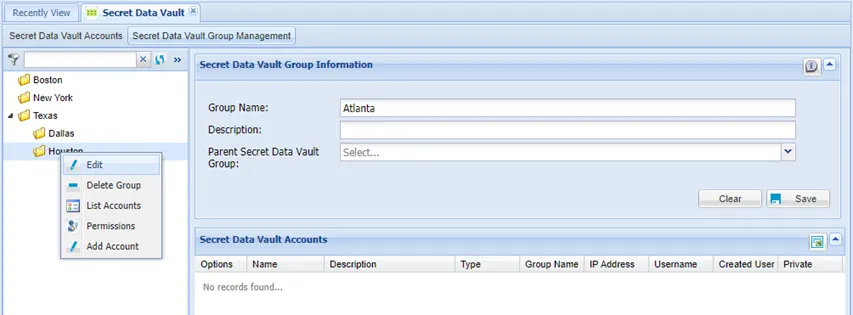
Secret Data Vault Group right-click menu