Adding Secret Data Vault Account to a Groups
1 min
Once a Secret Data Vault Group is created, individual accounts can be added to it from the Secret Data Vault Group Management screen.
- Navigate to Secret Data Vault.
- Open the Secret Data Vault Group Management tab.
- Right-click the group to which to add individual accounts and select the Add Account option from the menu.
- Move the accounts to be added into group by moving them from the box on the left to the box on the right.
- Click the Add Account button when done.
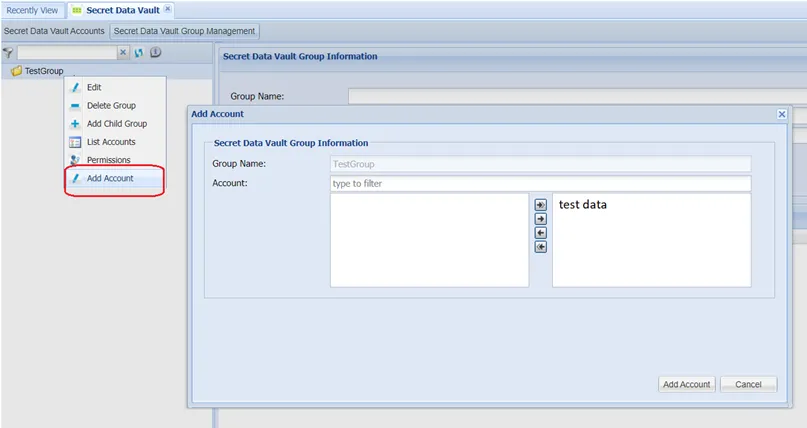
Adding Secret Data Vault Accounts to a Group
Alternatively, accounts can be added to groups using the account edit screen:
- Navigate to Secret Data Vault.
- Open the Secret Data Vault Accounts tab.
- Edit the desired Secret Data Vault account.
- Select the Group Name from the auto-complete box and click Save.