8.2 Audit Logs
2 min
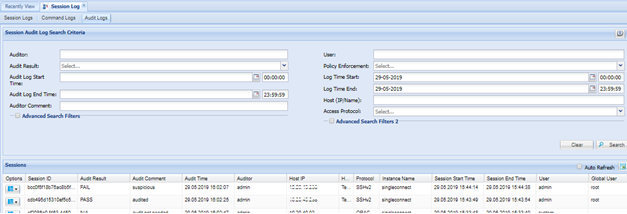
Audit users can sign sessions as passed audit, failed or n/a. To audit sessions and show audited sessions follow the steps below:
- Log in to the Single Connect Web GUI
- Navigate to Logging > Session Logs
- Open the Audit Logs tab.
Note |
|---|
The audit users must have the “sc.log.session.auditor” portal function to reach “Audit Log” screen. |
To set audit results on sessions:
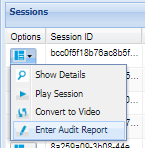
4. Click options button then click “Enter Audit Report”
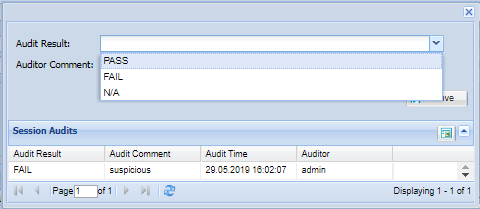
5. Enter Audit result and comment and Save.
Note |
|---|
Multiple auditors can enter audit results to the same session. |