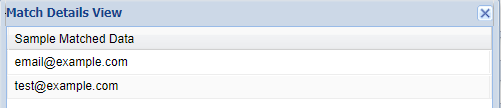
7 Sensitive Data Discovery
You can use Sensitive Data Discovery to discover important data in a database.
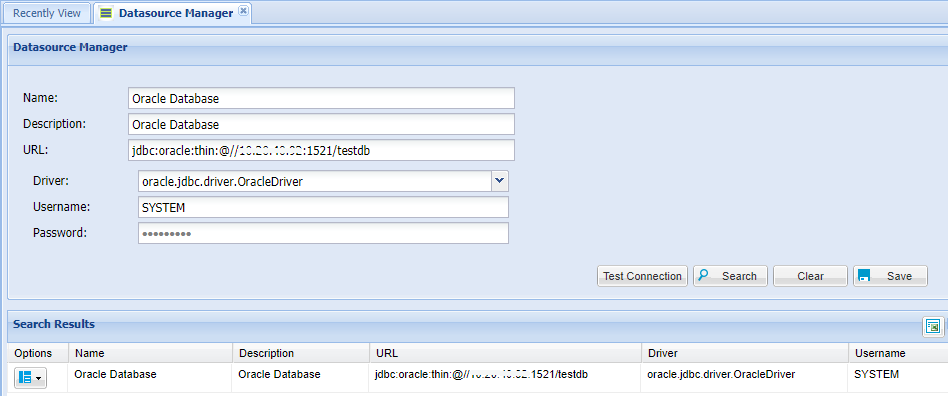
Creating Datasource
The database that will be searched for sensitive data must be defined in Single Connect with credentials to get schema, table and column names.
1. Log in to the Single Connect GUI 2. Navigate to Administration > Datasource Manager 3. Enter the Datasource name, description, connection URL, username and password 4. Click on the “Test Connection” button to test 5. Click Save button to save the connection information
Creating Pattern
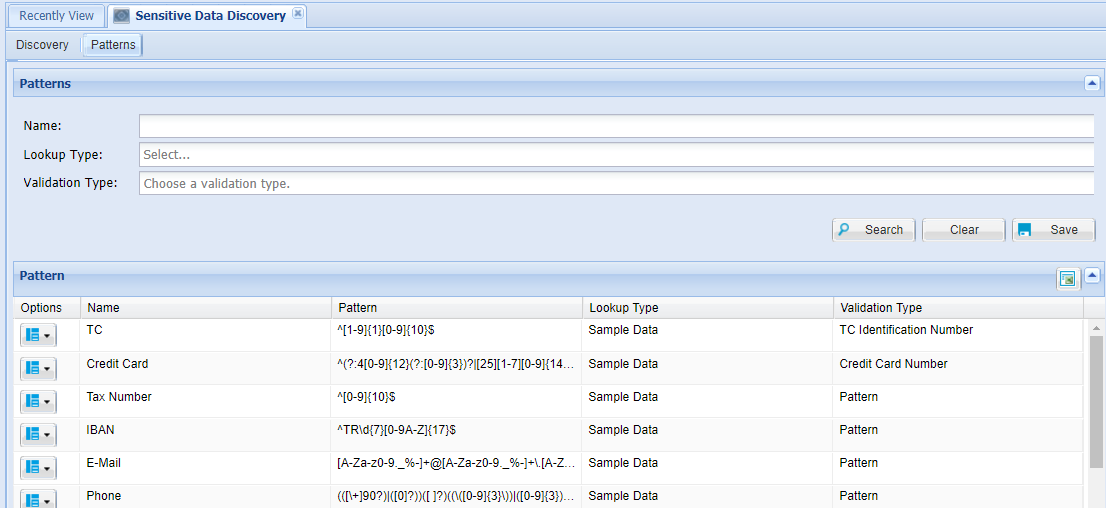
Most used patterns are defined in Single Connect. Different patterns can be added manually with the following steps:
1. Log in to the Single Connect GUI 2. Navigate to Sensitive Data Discovery 3. Open the “Patterns” tab 4. Enter in the Pattern’s Name, Lookup Type and Validation Type 5. Save
Data Discovery
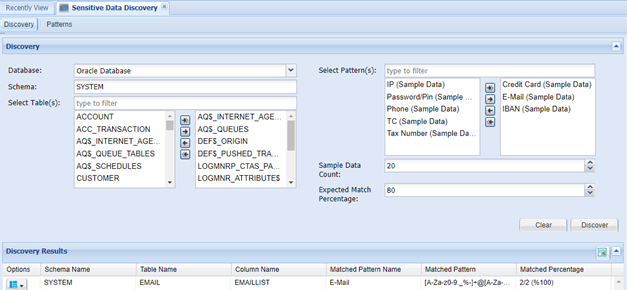
Discovery processes are applied on selected tables by determining the percentage of expected matched data and number of rows to be scanned.
- Log in to the Single Connect GUI
- Navigate to Sensitive Data Discovery
- Open the Discovery tab
- Select Database, Schema, Table, Pattern, Sample Data Count and Expected Matched Percentages
- Click the Discover button
To see the discovered data, follow the steps below:
6. Click the Options button of the discovered pattern at “Discovery Result” 7. Select “Show Details”