2.9 User Approval
User Approval
Approval Department Configuration for New User Request
To set e-mail domain of user approval follow the steps below:
- Log in to the Single Connect Web GUI
- Navigate to Administration > System Config Man.
- Set the "aioc.email.domain" parameter with related e-mail domains (More than one domain can be added with a comma. Ex: kron.com, kron.com.tr)
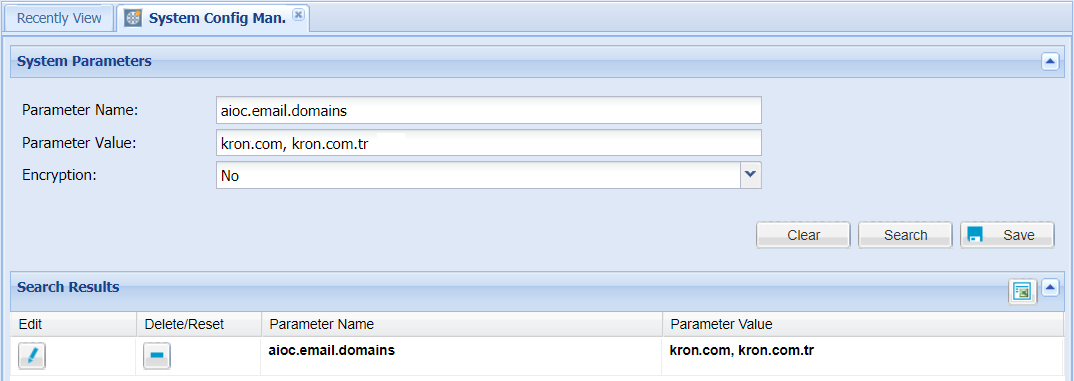
After defining the e-mail domain, to adjust which users have rights for giving user approval follow the steps below:
- Log in to the Single Connect Web GUI
- Navigate to User Management > User Accounts > User Group Definition
- Select the user group members and set the users as admins of the group.
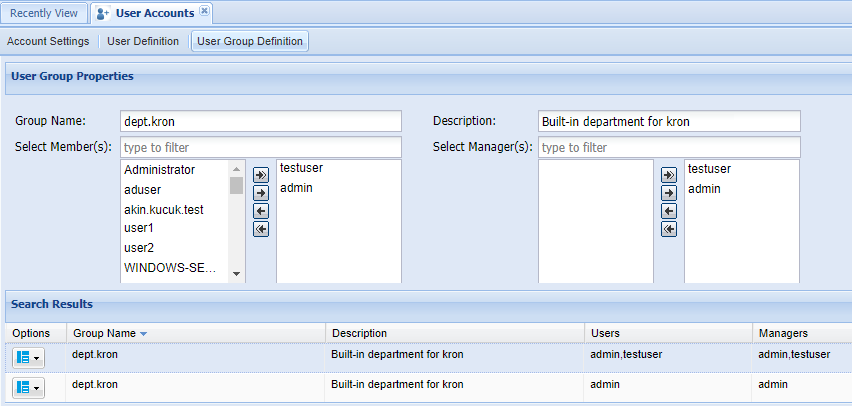
User Approval from Single Connect GUI
The User Approval section is for displaying all users who have sent the "New User" request from the main page and for confirming their requests.
- Log in to the Single Connect Web GUI
- Navigate to User Management > User Approval
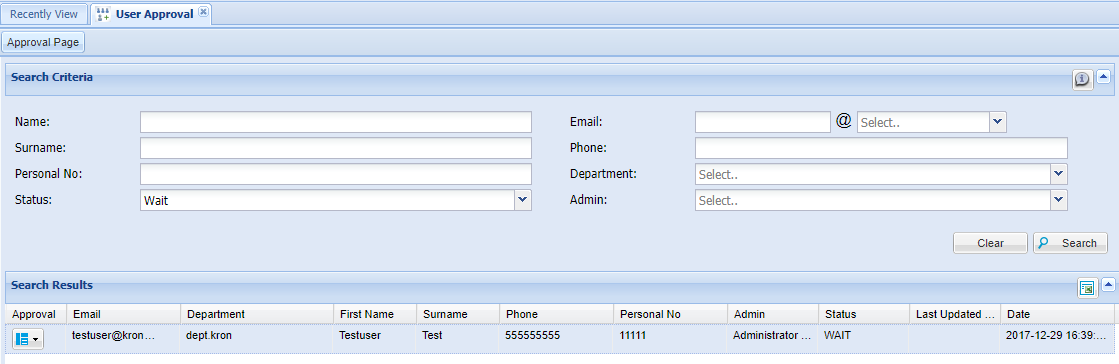
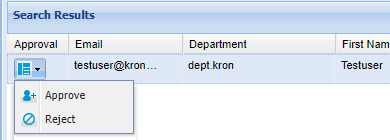
The user selected as the approval manager can direct the request to other managers via the “Pre-Approve” option, reject or approve the request.
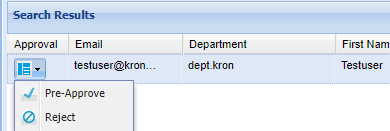
The selected approval manager can approve/reject the request.
Note | |
|---|---|
The domain admins must have the “users.approve.finalApproval” portal function to have final approval authority for a new user request. | |