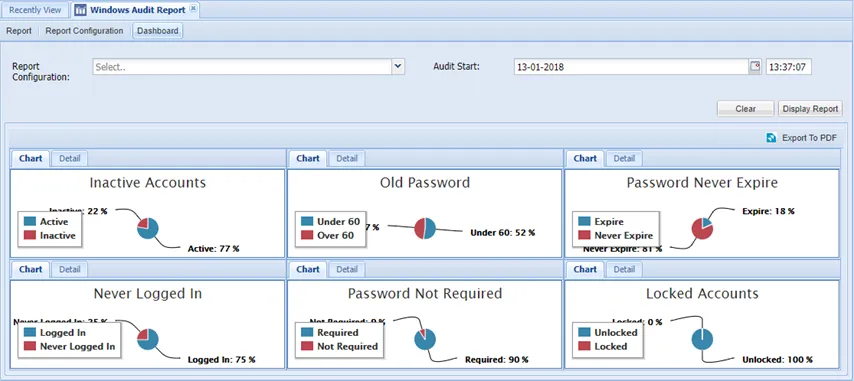
Windows Audit Report
The Windows Local User Audit Report is used to report the current security status of local Windows accounts.
Create the Report Configuration
- Navigate to Audit Report > Windows Audit Report.
- Open the Report Configuration tab.
- Create the report configuration by completing the fields. The Report job can be executed manually or periodically (as scheduled)
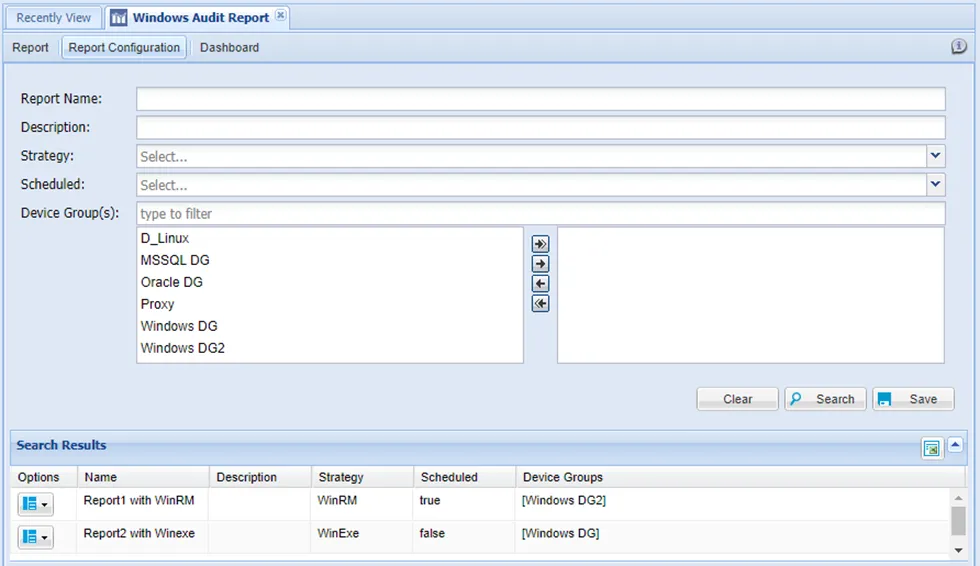
To execute the report manually, click the Options drop-down menu button and select Run.
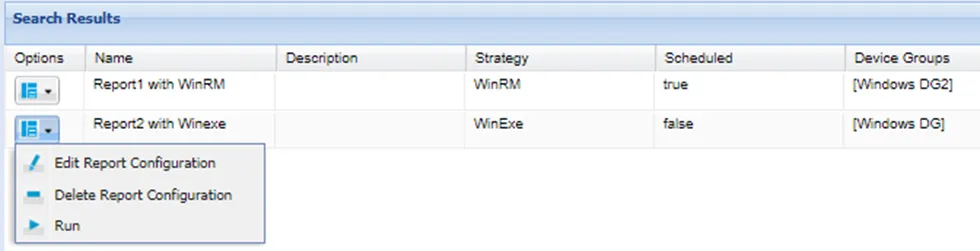
To execute the Reports periodically, the Scheduled field needs to be configured in the Report Configuration. The period can also be configured from the Jobs Scheduler by editing the WindowsAuditJob.
For the purposes of Audit Report, the selected device groups for must have the globalUsername and globalPassword properties defined. See also section Device Group Properties. To be able to access the report detail, the user defined as globalUsername should be a privileged user.
Report Details
When a job finishes, the reports are listed in the Reports tab. To access the report:
- Navigate to Audit Report > Windows Audit Report.
- Open the Report tab.
- Click the Options drop-down menu button and select Show Details.
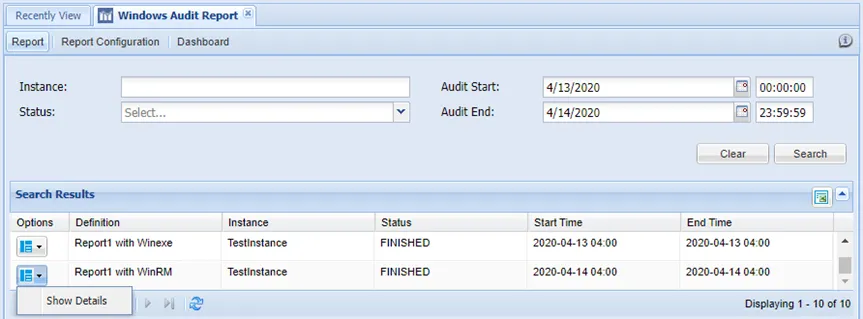
Report details are shown in the Windows Audit Report Details section:

Dashboard
- Navigate to Audit Report > Windows Audit Report.
- Open the Dashboard tab.
- Choose the desired fields and click the Display Reports button.