Single Connect Server Configurations
The Single Connect admin should follow these steps:
- Create a Device Group Realm with the user group defined in step 2 and the device group defined in step 3. (See Device Management)
- Define the authenticating secret key as globalSecretKey in the device group properties. (See Device Groups Properties)
- Navigate to Administration > RADIUS 802.1x Config.
- Choose an EAP Type (currently, only PEAP is available)
- Fill in the Certificate Authority PEM, Certificate Private Key PEM, and Certificate Private Key Password fields (This information does not have to be accurate)
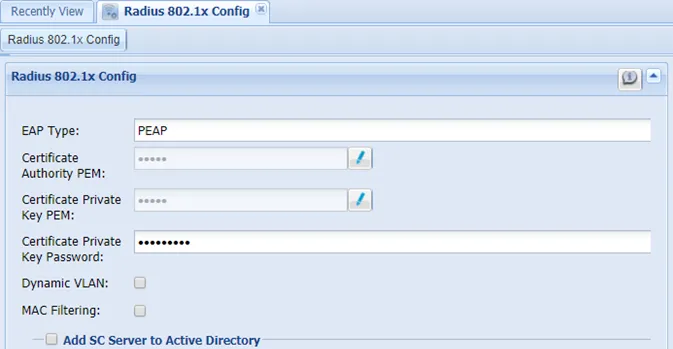
802.1x Configuration
- Toggle the Add SC Server to Active Directory option and fill in the necessary fields.
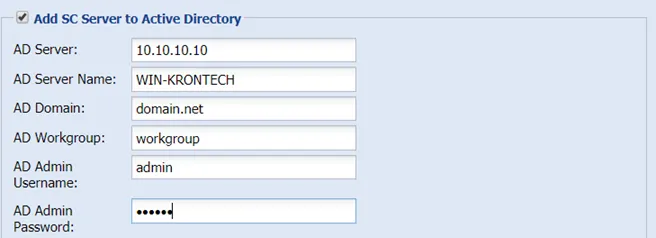
Active Directory Configuration for MSCHAPv2