Sending Request for New User
New users may request an account through the Single Connect Web GUI. Only permitted email address domains can send a New User request. This section provides information regarding email domain configuration.
To send a new user request, user candidates should follow these steps:
- Access the Single Connect Web GUI login page.
- Click the New User link.
- Fill in all user credential fields and click Register.
- The New User request will be sent to the admin.
- Per the admin’s approval, the new user can log in to the system.
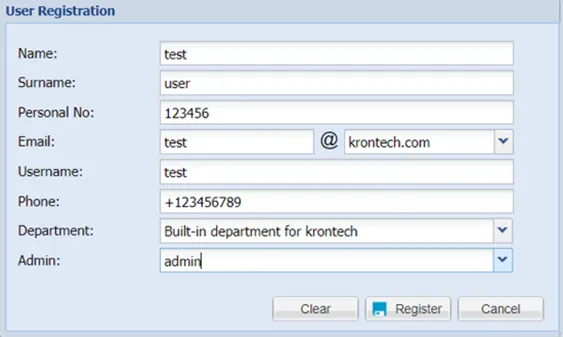
New user request