MFA Configurations for VPN Services
Single Connect MFA can be used as a 3rd party MFA server for all applications, devices, VPNs, etc. that support RADIUS authentication. Two options are available for MFA server support:
- Both the first authentication (with username and password) and the secondary authentication (with OTP) are provided via Single Connect. To activate this feature: • Define the VPN device according to the TACACS Access Manager configuration • Enable OTP on the User Group (Navigate to Administration > 2FA Provisioning > User Group Management)
- Only second authentication with OTP is provided via Single Connect. To activate this feature: • Define the VPN device and the Device Group Realm with the related users in Single Connect (See User Group Creation and Device Management sections.) • Define the element type property in the VPN Device element type section:
- Navigate to Device Management > Element Type.
- Click the Options button of the desired element type and select Show Properties.
- Set the radius.auth.only.token.enabled property value as true.
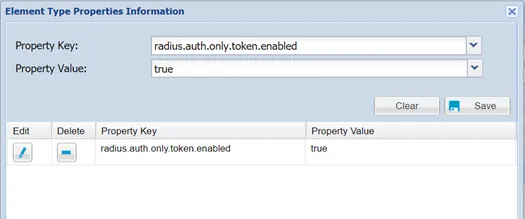
Only Second Authentication with OTP