Enabling Simultaneous Sessions Warning for RDP Connections
By default, when a user ( “user1”) is connected to an RDP device, and a second user (“user2”) initiates a connection, user1 disconnects and user2 connects.
A warning for simultaneous sessions can be enabled, to inform user2 of the current user1 connection and prevent user1’s session from being disconnected.
To enable this warning:
- Navigate to Administration > System Config Man.
- Set the parameter: sc.rdp.connection.warn.simultaneous.sessions = true
- Click Save.
This parameter will enable the default warning, which is "The device you are trying to connect to has an active session. Click Continue to connect, otherwise close this window." by default.
To change the text:
- Log in to the Single Connect Web GUI.
- Navigate to Administration > System Config Man.
- Set this parameter with the desired text. sc.rdp.connection.warn.simultaneous.sessions.text
- Click Save.
When user2 selects Continue, they will be connected to the device, and user1 will be disconnected.
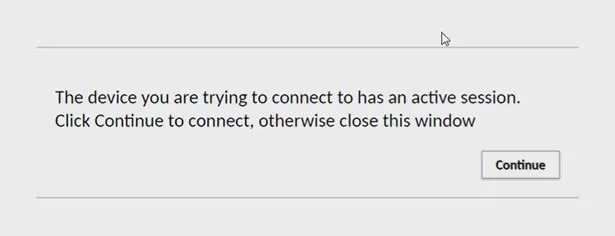
Simultaneous Sessions warning with default value