📘
Reference Guide
Navigate through spaces
K
Reference Guide
Single Connect Administration
User Management
Device Management
Policy Management
Approval Management
Session Manager
Dynamic Password Controller
Multi-Factor Authentication
TACACS+ Access Manager
Data Access Manager
Cloud PAM
Single Connect Reporting and Logging Functions
Privileged Task Automation Manager
Monitoring & Alarms
High Availability
Failover Scenario
Reporting
Multitenancy
DevOps Integration
APPENDIX 1: System Config Manager Parameters
APPENDIX 2: Job Descriptions for Job Scheduler
Docs powered by
Â
Archbee
Reference Guide
...
Using MFA with HTTP Proxy
Enabling OTP for Users
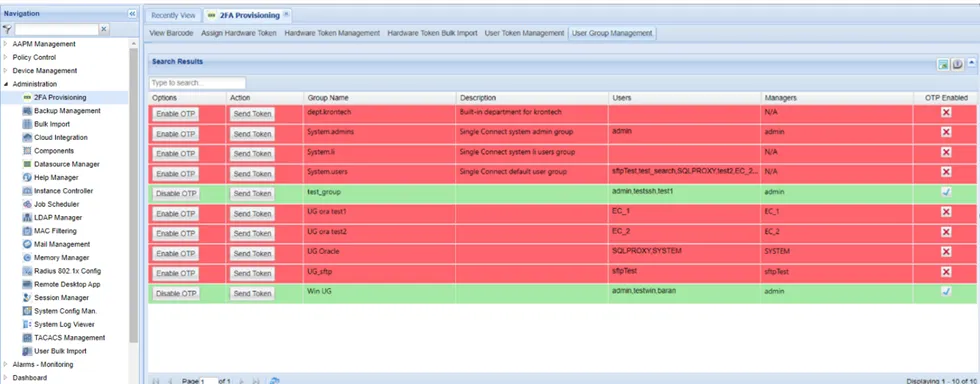
to enable otp for a user group navigate to administration > 2fa provisioning open the user group management tab click the enable otp button of the selected user group (the whole row will turn green when otp is enabled)
PREVIOUS
Installing the Single Connect Mobile App
NEXT
HTTP Proxy MFA Configuration
Docs powered by
Â
Archbee
Docs powered by
Â
Archbee