Adding a Subnet
Instead of adding devices one by one, you can add subnets to Device Groups to assume every device using this subnet as a member of this Device Group.
To add a subnet to a Device Group:
- Log in to the Single Connect Web GUI.
- Navigate to Device Management > Device Groups.
- Right-click the device group to be discovered and select Add/Edit Subnet.
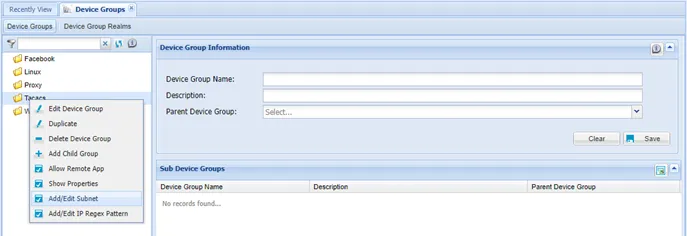
Add / Edit subnet Option
- Enter the subnet IP and CIDR values for the subnet and select the interface name if more than one interface is used
- Click Save.
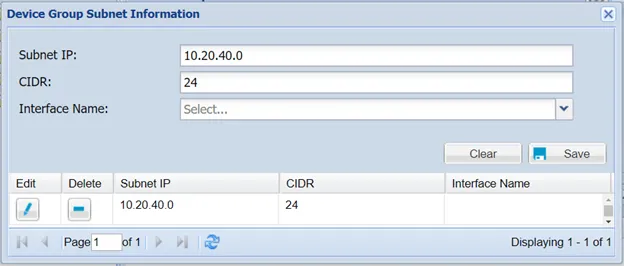
Subnet Info