Zero Touch Onboarding of Windows Servers on Azure
Kron PAM can provide a seamless connection to Windows devices with the admin password. To import Windows devices from Azure to the Kron PAM inventory:
- Follow the steps outlined in the section Creating Azure Accounts.
- Set the Azure Reset Windows Admin Password property as true in the element type, in addition to the other properties in the figure below.
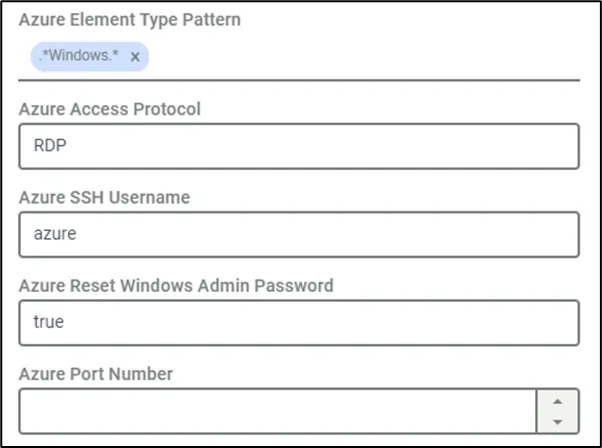
Windows Element Type Parameters
- Define the Azure Device Import job if it is not defined yet. Refer to the section Creating Azure Device Import Jobs.
- Add a Device Group tag according to the steps outlined in section Adding Azure Devices to specific Device Groups.
- Add an SSH key to the Secret Data vault to import the Windows Devices.
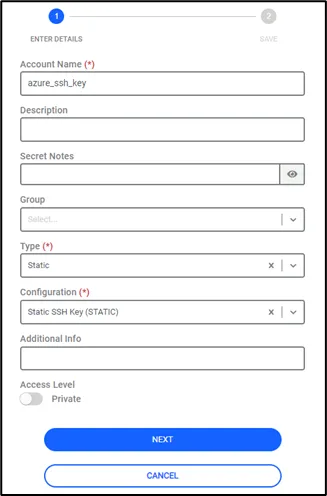
Secret Key Definition
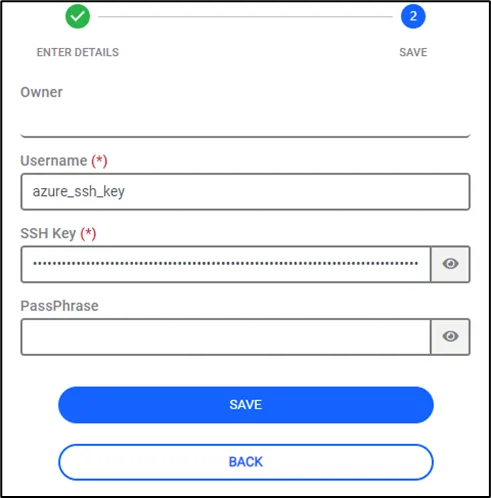
Secret Key Definition
- Trigger the Azure Device Import Job (defined in step 3) manually. The log-in credential properties rdpCredentialsName and rdpUsername are automatically set in the Device Properties.
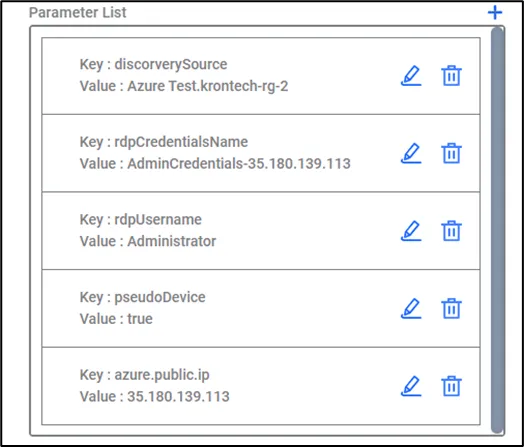
Azure Windows Device Properties
The credentials’ detail is set in the Secrets with the format AdminCredentials-publicIP, after the importing process is successful.
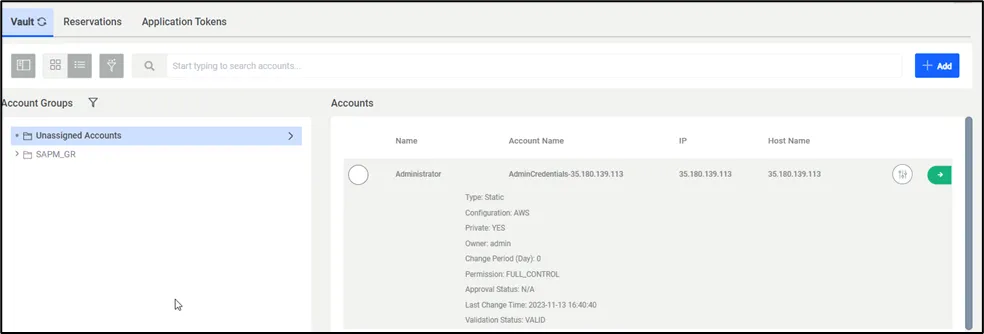
AWS Windows Device Credentials