Windows Services
Kron PAM can list Windows services and change the working priority assigned to the Vault account. The order of operations for Windows Services execution can also be changed.
- Navigate to Secrets > Configurations > Application Configuration.
- Add a new configuration, and select its Strategy as Windows Services.
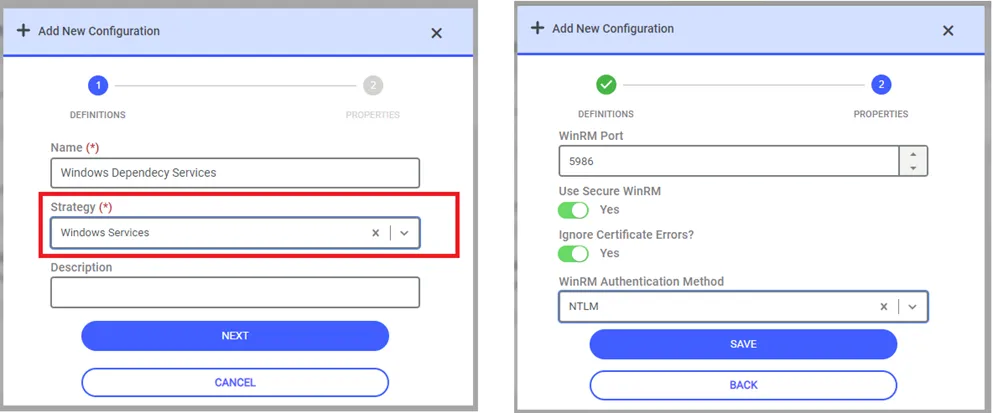
After saving the Application Configuration, you can move on to create a new trigger from the Application Management screen.
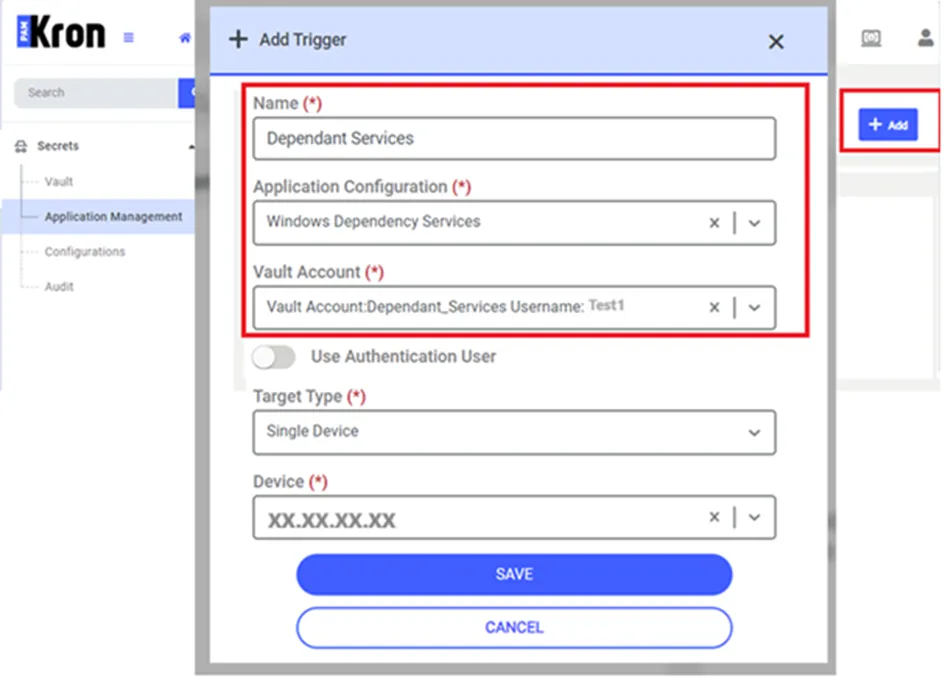
When the Save button is clicked, the services assigned to the Vault account will be listed on the screen. A random order number will be assigned to these services.
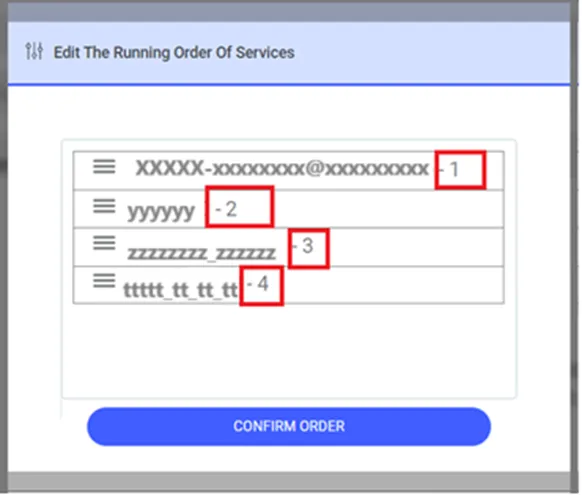
The order of Windows Services execution can be changed on this screen by dragging the service names.
After the sequencing for Windows Services is completed, click the Confirm Order button to Save the relevant changes. When the Application Trigger job starts, Kron PAM will start these Windows Services in this order.