Windows IIS Application Pool Strategy
This section explains how to change the user-defined password for IIS Anonymous Authentication using Application Configuration and Trigger.
WinRM service must be installed on target devices.
Users must have configured IIS information for this option in a similar manner to the example below.
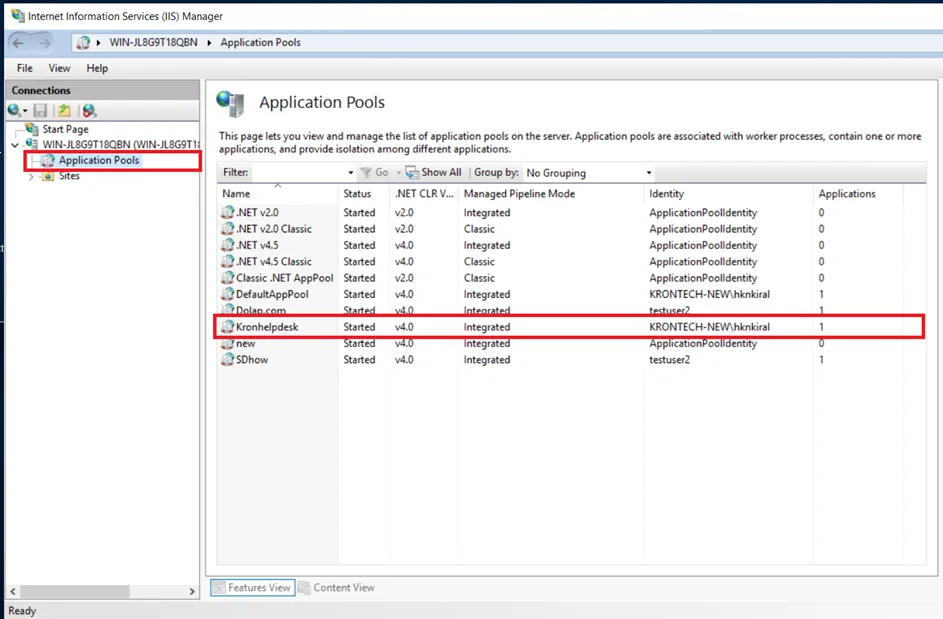
IIS Application Pools Definition Screen
Select the Application Pool for password change, and assign the user value.
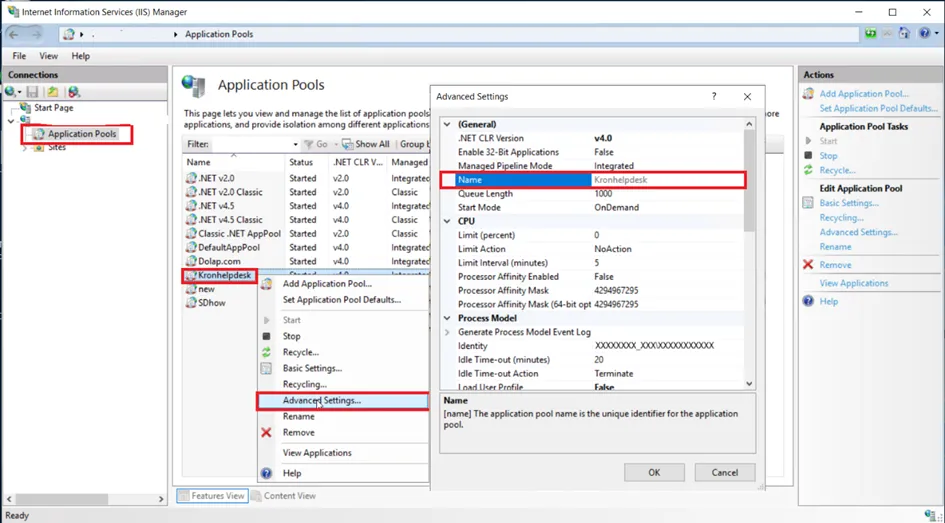
IIS Application Pools Assign User Screen
An Application Trigger Config needs to be made for this option.
- Navigate to the Secrets > Configurations > Application Configuration.
- Click the +Add button.
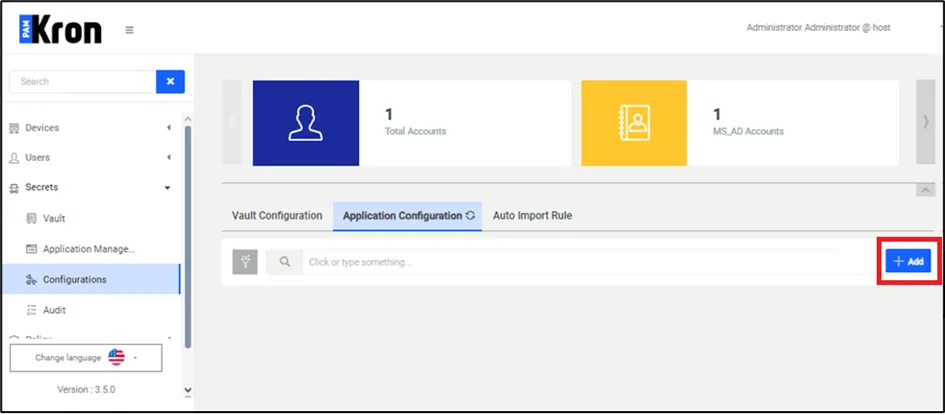
Application Configuration Definition Screen
- Enter the parameters.
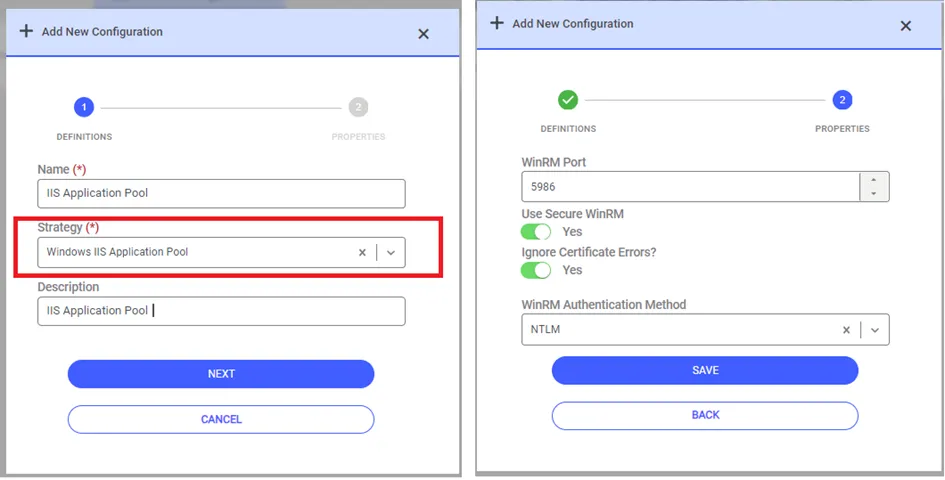
Application Configuration Definition Screen
- Select Windows IIS Application Pool as the Strategy.
- Enter the WinRM port, through which the Windows IIS Application Pool runs.
- Select NTLM as the WinRM Authentication Method and click the Save button.
- Navigate to Secrets > Application Management screen.
- Click the +Add button.
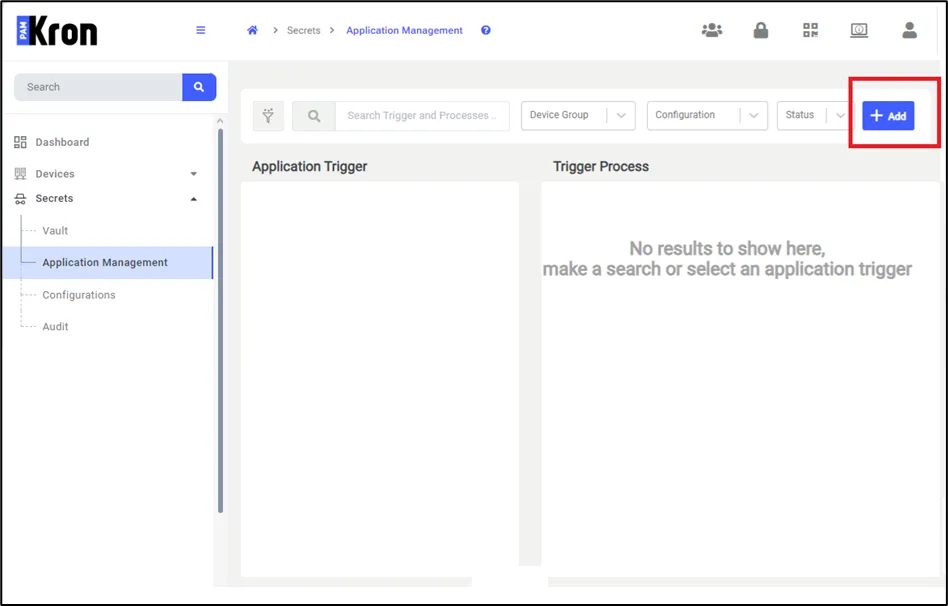
Application Management – Application Trigger Definition Screen
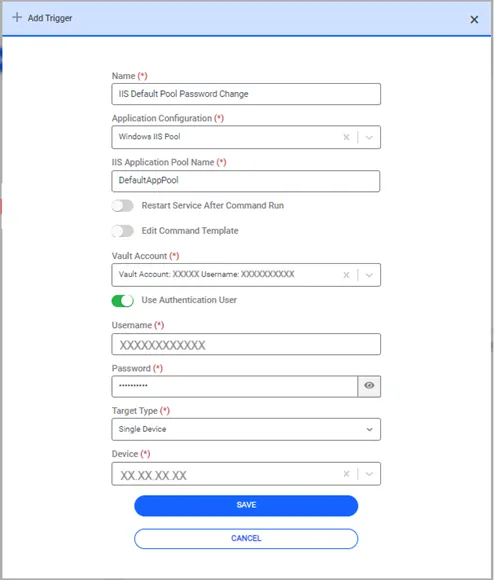
With this definition, when the Vault account's password is changed, reset, or updated, a trigger is generated for Windows IIS Application Pool to automatically change the password on the target device.
The IIS Application Pool Name field needs to be entered from IIS.
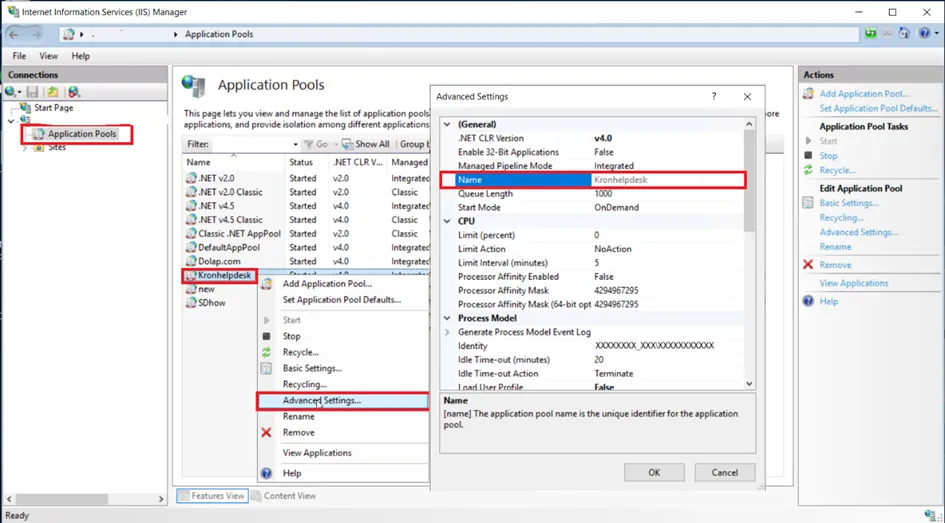
IIS Application Pools Name Show Screen
- For the IIS changes to be active, a Restart operation may be required on the IIS side. If you want to restart, set the Restart-Service After Command Run switch box to On. But remember that all users will close their sessions at this time.
- Select the Vault Account defined in Password Vault and whose password we want to change.
- If the user defined for Password Vault is an authorized user to make changes on IIS, the Use Authentication User switch box can remain off. If it is not an authorized user, the Name and Password information of the Administrator user need to be entered in the relevant fields.
- The Target Type value should be selected as Single Device.
- The device information where IIS is installed and the device to be modified must be selected.
- If all field values are entered, Click the Save button and the configuration will be completed.
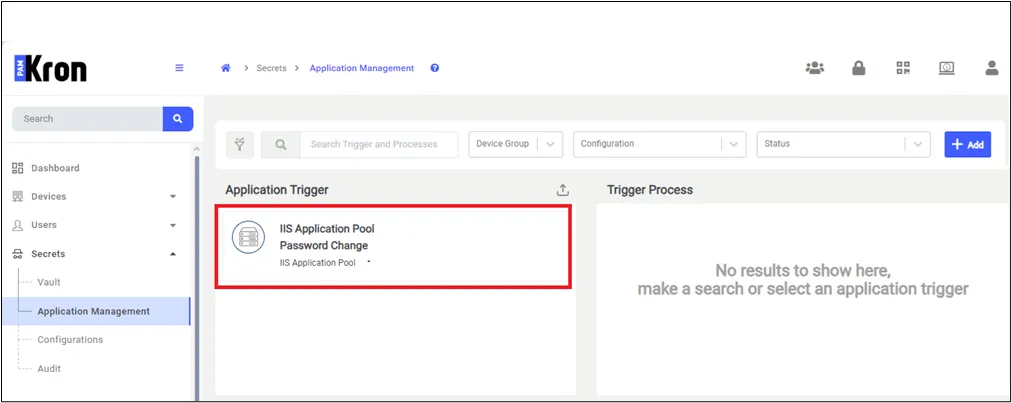
Application Trigger Definition Screen for IIS Application Pool Strategy
- Open the Vault screen, and select the Vault account.
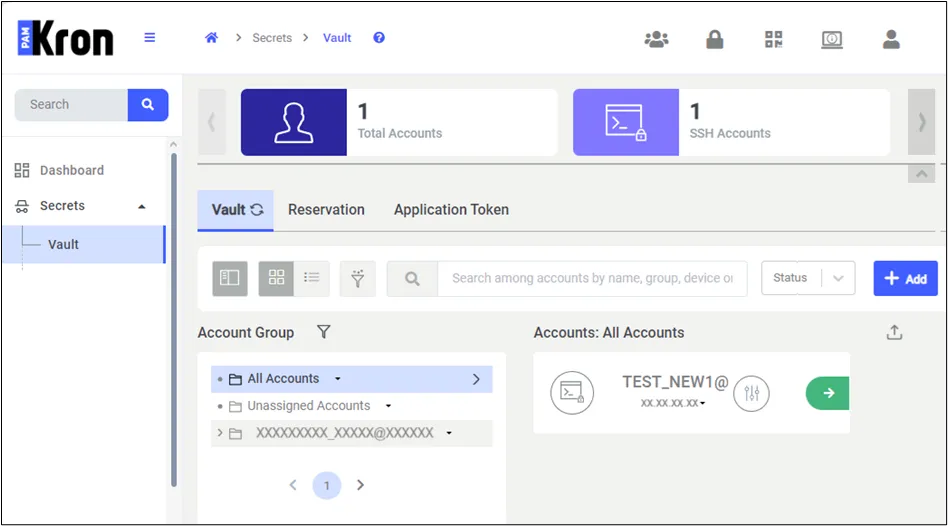
Vault Screen
- Click the Action button and a new popup will be shown.
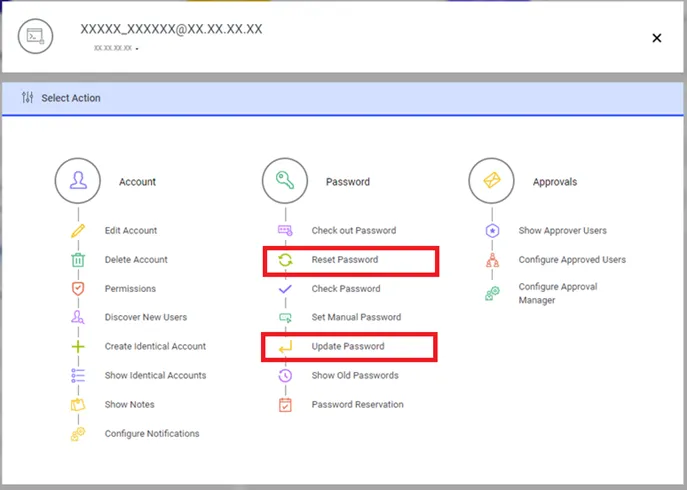
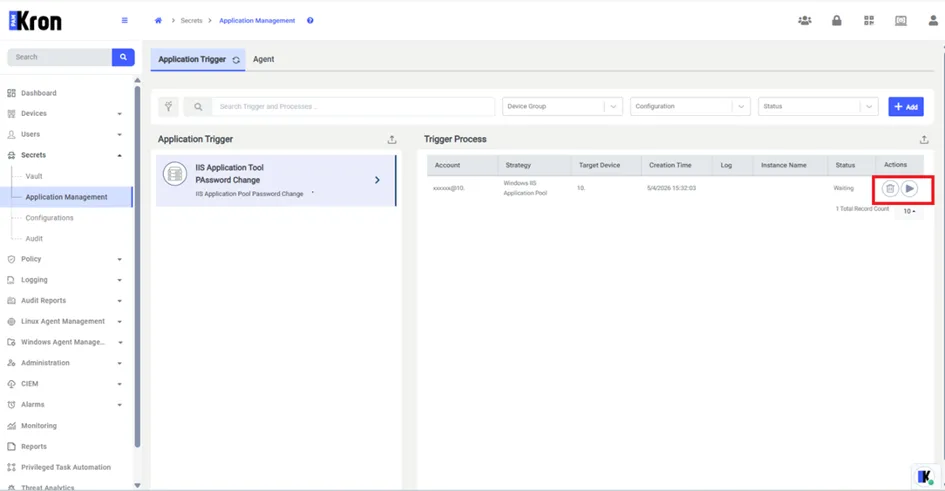
- If Reset Password or Update Password is clicked, Kron PAM will change the password information from Windows Local User or Active Directory for the selected account. Additionally, a new Application Trigger record will be created by Kron PAM to change the password on the IIS server.
- Open the Application Management page, and list that record by clicking on the application trigger name. To start this record and change the password on the IIS site immediately, click Run. Otherwise, the Application Trigger job will automatically run this record according to the defined period.
- When sending the updated password to the IIS Application Pool, the password data is transmitted in an encrypted format. The password is not visible in plain text on the server.