Set Manual Password for Dynamic Vault Accounts
The Vault module periodically changes the passwords of dynamic Vault accounts. The password generation algorithm of the password vault creates random passwords and assigns them to the accounts.
It is also possible to assign a password of your choosing to dynamic accounts for a specified duration. Once the manually assigned password expires, Kron PAM will automatically generate and assign a new random password.
To set a manual password for the dynamic Vault account, the single.connect.sapm.set.password.manual function is necessary to include in the function realm.
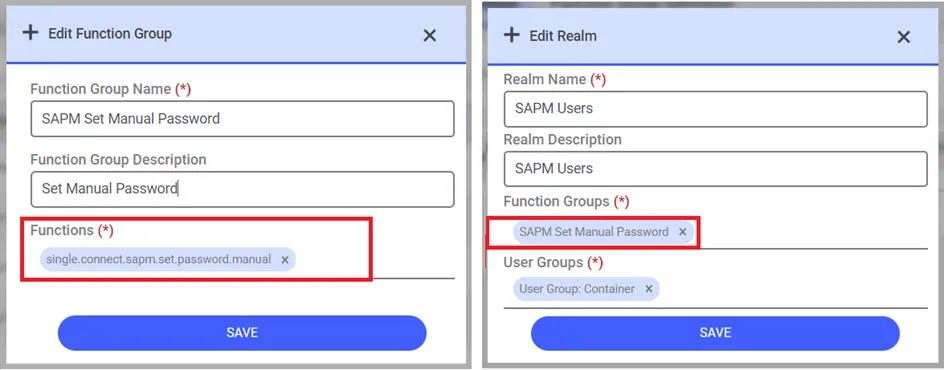
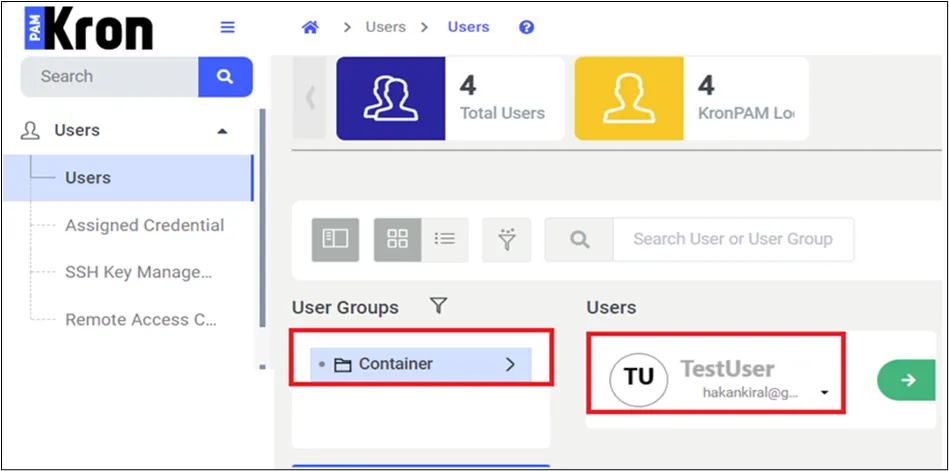
With this definition, users in the relevant group who have the Manage Password permission or higher will see the Set Password button enabled on the Vault screen. This button will be functional for Vault accounts of the dynamic type.
A parameter called Set Password Manually is on the Vault Configuration > Password Change group pop-up.
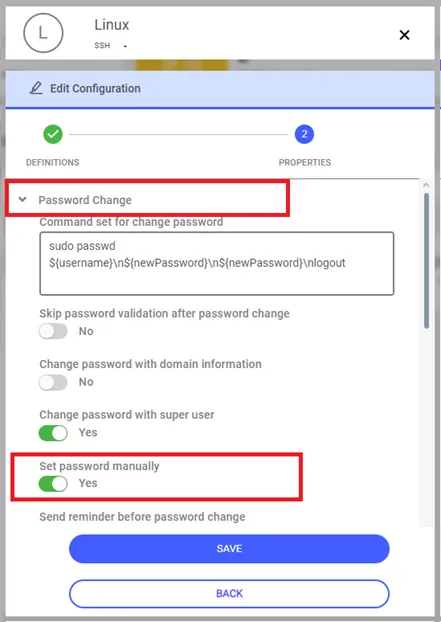
Suppose the user has the Set Manual Password function from the Portal Definition screen and the Set Password Manually option is set to On in the Vault Configuration screen. In that case, the Set Manually Password option will become available on the Vault Definition screen.
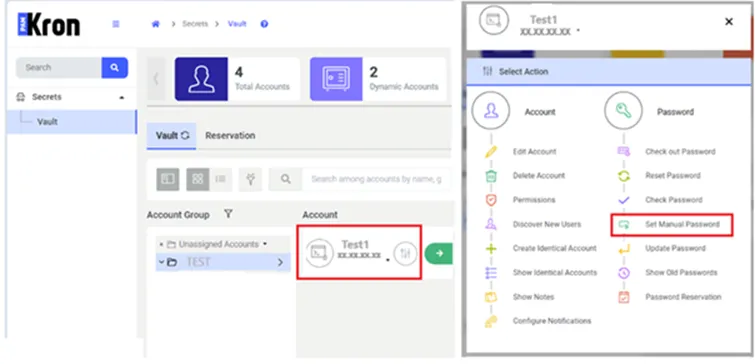
Even if this parameter is defined as True in the Portal Function, Kron PAM can ensure that some Vault Accounts cannot manually set passwords according to Vault Configurations.
If the Set Manual Password function isn’t defined as False on the Portal Function in this case system will not enable the user on the Vault Password Change popup even if Set Password Manually is defined as True on the Vault Configuration screen.
When the user clicks the Set Manual Password button, a popup will appear for them to enter a new password. If no specific password configuration rule is defined for relevant Vault configuration, information will be displayed on the screen that the password will be set by default with 3 uppercase, 3 lowercase letters, and 2 numbers.
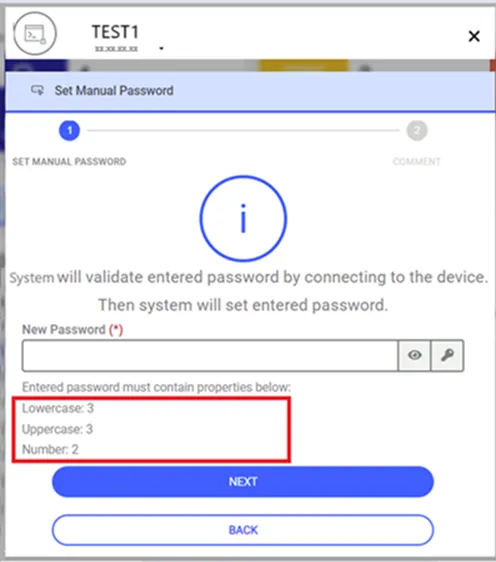
When the user enters the password value and clicks the Next button, a popup will appear where the user can select how long the password will be used and enter a comment.
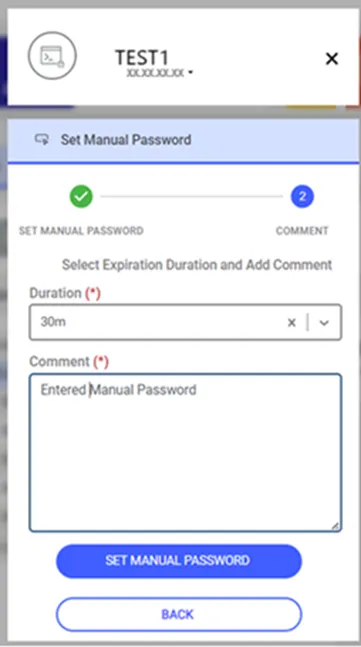
Possible values for the Duration Time are configured with the “sapm.set.manual.password.expiration.time.values” property from the System Config. Man. screen. If user doesn’t define this parameter, the default value is “30m”. Options are separated with commas, “m” stands for minutes, and “h” stands for hours.
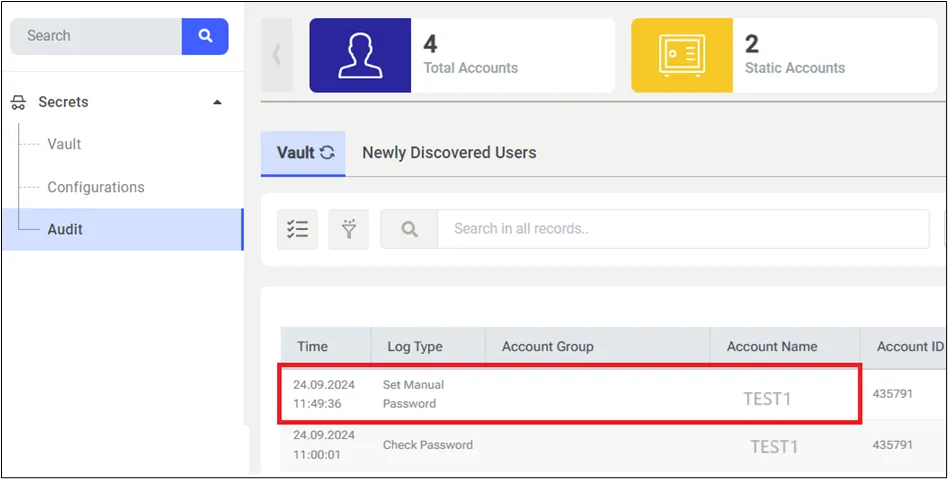
A new log type will be added to the Vault Log screen, and if a user performs the Set Manual Password action for any account, this will be logged as such.