Removing Approved Users
Managers can revoke previously granted approvals through the Configure Approved Users option of a Vault account or group. To remove approved users:
- Navigate to Secrets.
- Open the Vault tab.
- Click to Options Button on the desired group in the tree, and select the Configure Approved Users option.
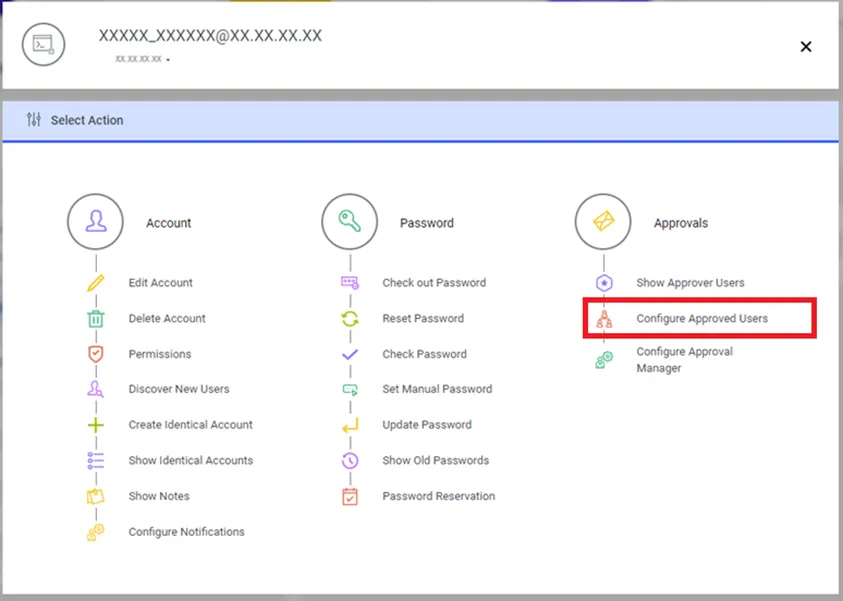
Configure Approved Users
- Select Delete and Disapprove the user.
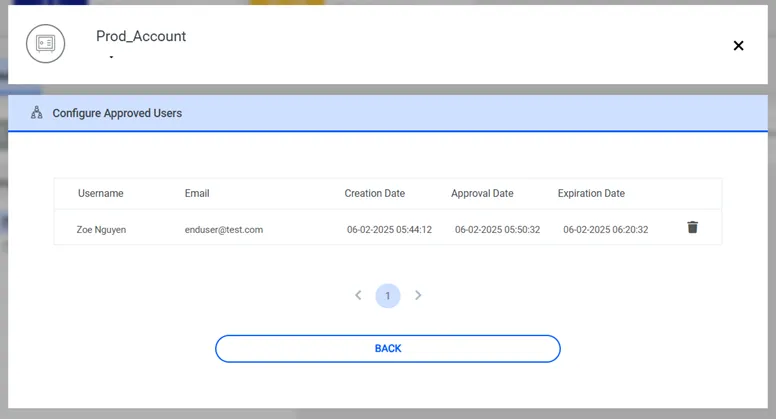
List Approved Users
If a user is disapproved through the parent group, Kron PAM asks whether or not to remove the approvals for subgroups and subaccounts. If Yes, the removal is applied to all subgroups and subaccounts.
- If No, the removal is applied to the selected group and its accounts.