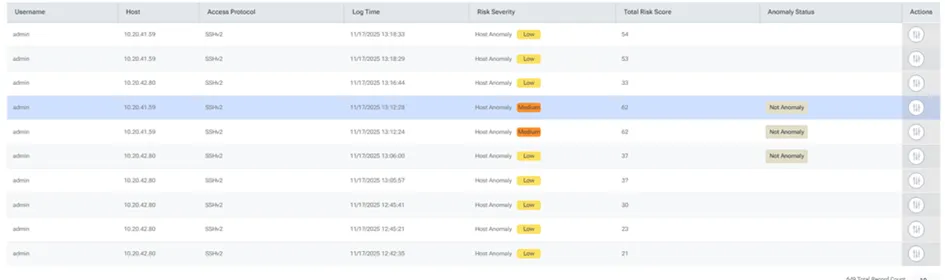
Providing Feedback on Anomalies
To mark a detected anomaly as a false positive:
1. In the Threat Analytics table, identify the specific session or event you wish to provide feedback on.
2. Click the Actions located in the far-right column of the relevant anomaly row.
3. In the Anomaly Options modal that appears, click the Mark as Not Anomaly icon.
4. An information window will appear stating: "You're about to mark this event is not an anomaly. This action will label the event as an false positive, update its status, and send feedback to the ML.". Click Continue.
Once feedback is provided, the Anomaly Status column in the Threat Analytics table will update to reflect the change.