Policy Groups Creation
Policy groups consist of multiple policies. If black and white keys are defined in the same policy group, then black keys have higher priority. In other words, if a command allowed by a white key is blockable by a black key, that command will be blocked.
If there are specific commands defined as white keys and no other keys of any sort in the policy group, Kron PAM will allow these commands and block all other commands.
To create policy groups:
- Navigate to Policy > Policy Group.
- Navigate to the Policy Group field then click on the Add button.
- Fill in the mandatory fields (Name, Operation Mode, Select Policy Key(s), Action) under Policy Group Properties and set the Action field as Generate Error and click Save. (The Use for Reservation only option should be enabled if a Policy Group is used only for reservation. More information can be found in section 2.3.3 Managerial Policy Reservation.)
Operation Mode | Definition |
|---|---|
Operation | Policy groups are available when devices are in operation mode. |
Maintenance | Policy groups are available when devices are in maintenance mode. Maintenance mode is set on devices. Check the Device Inventory – Devices. Right-click the Menu section for more information. |
Kron PAM can send information about executed black key commands to a Simple Network Management Protocol (SNMP) server.
SNMP Trap: If the checkbox is selected from the Policy Key Options> General Options, an SNMP Trap is sent to the desired target when a user tries to execute a black key command. The target of the SNMP trap can be configured in the System Configuration Manager with the following parameters:
Parameter Name | Parameter Value |
|---|---|
snmp.target.ip | Target IP to send the SNMP trap to. If not set, localhost is used as the default target IP to send the traps. |
snmp.target.port | Target port of the target IP to send the SNMP trap to. If not set, 162 is used as the default port. |
snmp.community.string | The preferred community string should be defined. If not set, public is used as the default value. |
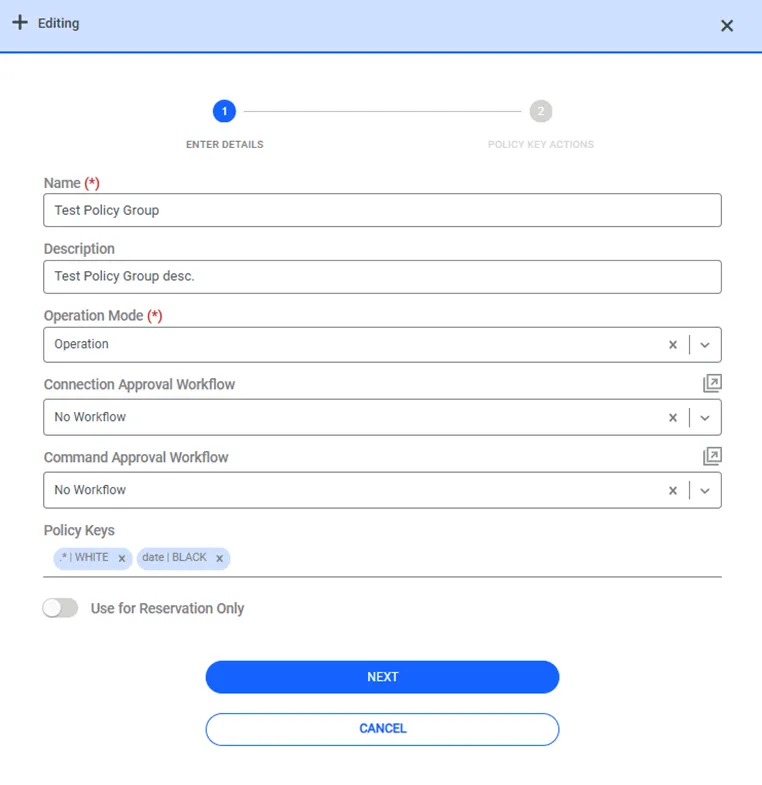
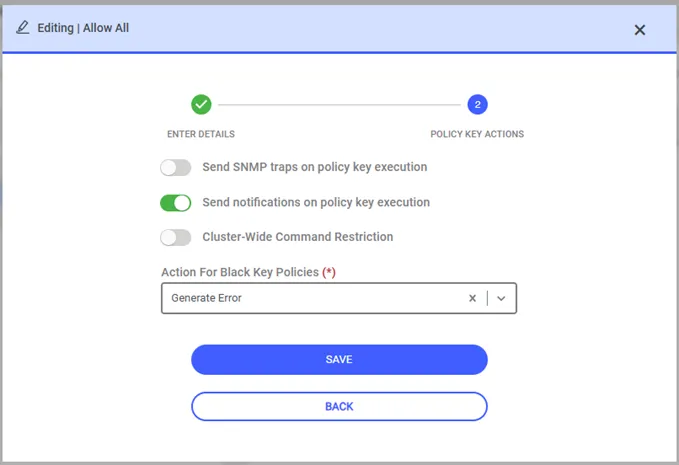
Upon clicking Policy Key Actions, General Actions and Black Key Actions are shown.
Send Notifications on Policy Key Execution: When a command is sent on SSH Proxy, Kron PAM sends an e-mail to the user group to inform of the action.
If sc.policy.notification.sendApproval.useOnlyDeviceRealmManagers value is false in System Configuration Manager (default value is false), Kron PAM sends a notification to all each user group manager of the session user, regardless of device realm membership.
If it is set as true, the notification e-mails are only sent to the user group managers that share the device realm with the session user.
If the aioc.alert.notification.mail.address parameter is set on the System Config Manager, Kron PAM sends the notification to both the user group managers and this specific mail address.
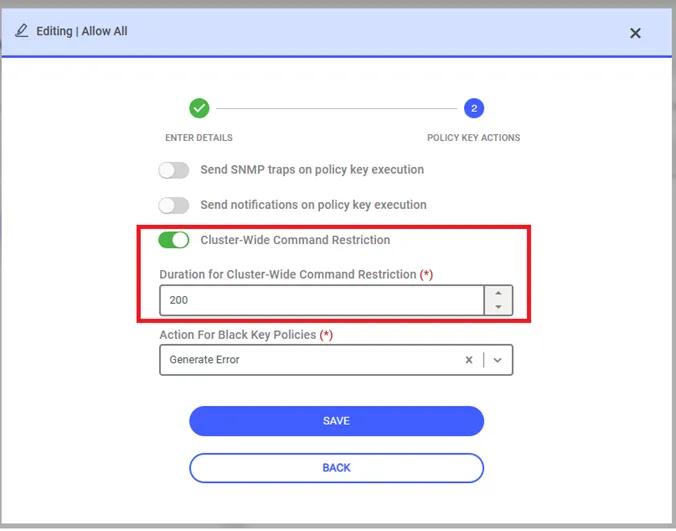
Cluster-Wide Command Restriction:
With this parameter, when a command defined as a black key is executed on a machine in a cluster-based system, it cannot be executed on other devices within that cluster for a specified period of time (seconds). Activating this parameter alone is not enough for cluster-based restriction to take effect. Devices in a cluster must be contained within the same device group, and the useAsClusterGroup parameter must be set to true for this device group in the Custom Properties panel.
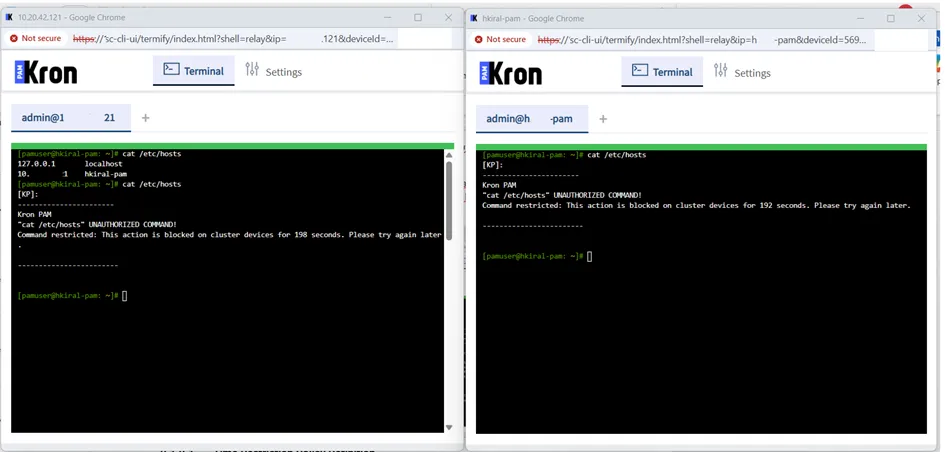
When the useAsClusterGroup parameter is set to True on device group, if a user tries to run a black key command twice in quick succession on the same within this cluster during the same session, Kron PAM will display an error message informing the user that this command can’t be executed for a certain period of time.
Additionally, if users connect to another device in the device group via SSH and run the same command again, a warning message will be displayed on the screen informing the user that the command cannot be executed for a certain period of time.