ML Engine Endpoint Configuration
To enable communication between Kron DAM and the ML-based anomaly detection engine, configure the ML engine endpoint in the environment file and restart the services.
1. Connect to the Kron DAM host.
2. Navigate to the Docker management directory: vi /pam/docker-mgmt/.env
3. Locate the APP_INT_ML_ANOMALY_URL parameter and set it to the IP address and port where the ML engine is running.
i. APP_INT_ML_ANOMALY_URL=http://<ML_ENGINE_IP>:<PORT>
4. Configuration changes related to the ML anomaly engine require a restart of the UBA service on the DAM portal. The updated parameters will not be applied until the UBA service is restarted.
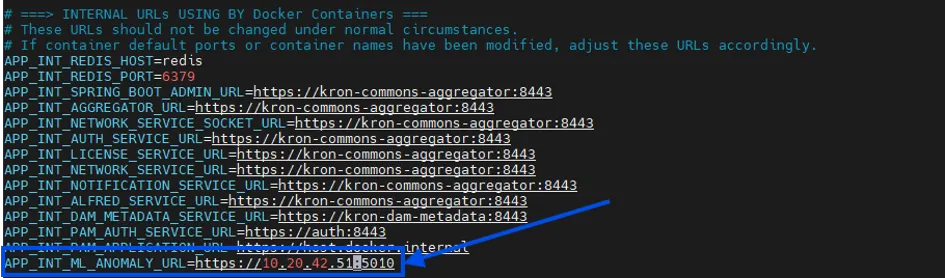
Set ML Engine IP and Port Address