MFA Integration
Kron PAM’s Multi-Factor Authentication (MFA) module provides both internal and external MFA solutions. This functionality is described in detail here: Using SMS for MFAat
To use MFA via SMS, the SMS service must be configured in the Administration interface. The SMS Integration screen includes the parameters needed to define and use an SMS provider.
To configure SMS services for MFA Integration:
1) Navigate to Administration > System Configuration Management > Integrations > SMS Integration.
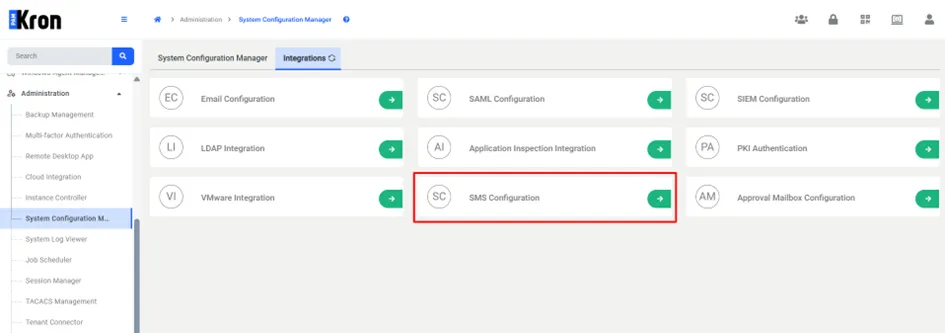
2) Click + Add SMS Integration.
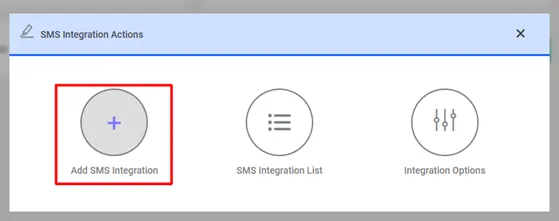
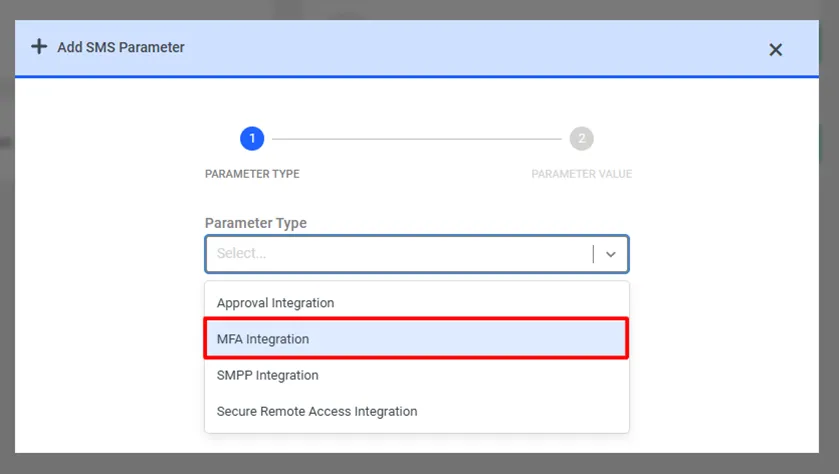
3) From the Parameter Type dropdown list, select MFA Integration.
4) For the HTTP SMS Channel type, fill in all the required fields and click Save.
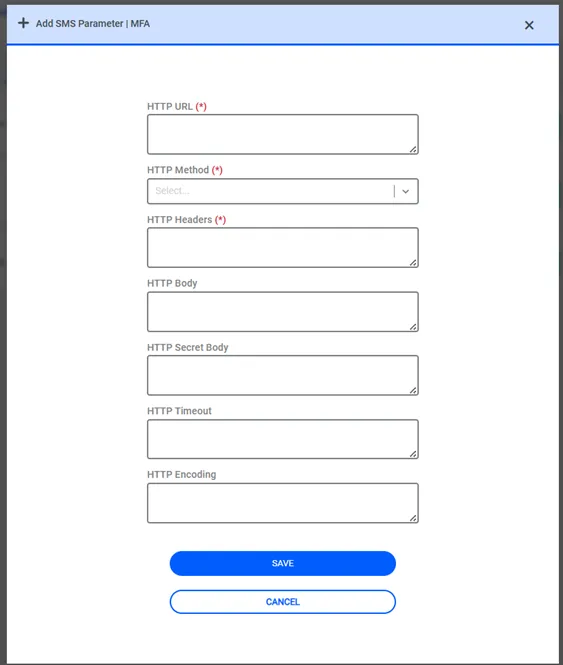
Example values for each field are listed in the table below:
HTTP SMS Parameters | Example Values |
|---|---|
HTTP URL | https://api.sms.com/v1/send-sms |
HTTP Method | POST or GET |
HTTP Headers | Content-Type:text/xml |
HTTP Body | <request><authentication><username>******</username><password>******</password></authentication><order><sender>KRON</sender><sendDateTime></sendDateTime><message><text><![CDATA[Krontech Kron PAM MFA token is %token%]]></text><receipents><number>%messageInfo%</number></receipents></message></order></request> |
HTTP Secret Body | <request><authentication><username>******</username><password>*****</password></authentication><order><sender>KRON</sender><sendDateTime></sendDateTime><message><text><![CDATA[Your MFA Secret Key: %secret%]]></text><receipents><number>%phoneNumber%</number></receipents></message></order></request> |
HTTP Encoding | UTF-8 |
HTTP Timeout (in seconds) | 30 |