Local User Bulk Import
You can add new local users in bulk to Kron PAM. To add users in bulk:
- Navigate to Users > Users.
- Click the +Add button.
- Select Import Users.
- Click Download Template.
- An Excel file named "LocalUserBulkImportTemplate" is downloaded.
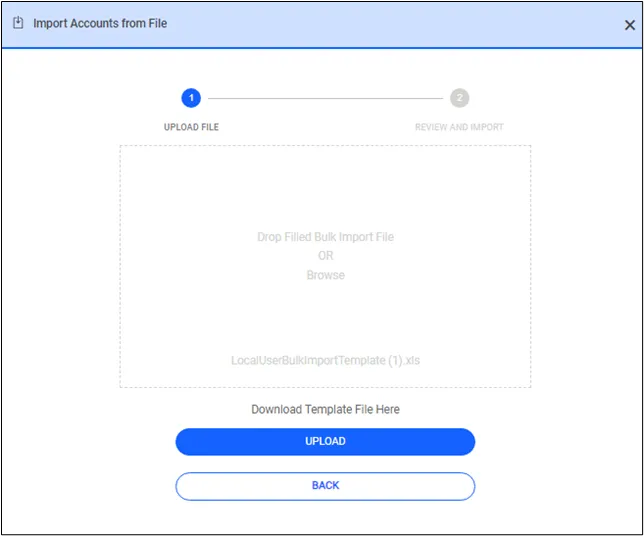
Download User Bulk Import File
- Open the template file and enter users’ information as described in the column descriptions.
- Save the template file on your computer.
- On Kron PAM, click Browse and select the template file you saved.
- Click Upload File to add the user list to the screen.
- Review and edit parsed results, and import accounts when you are done.
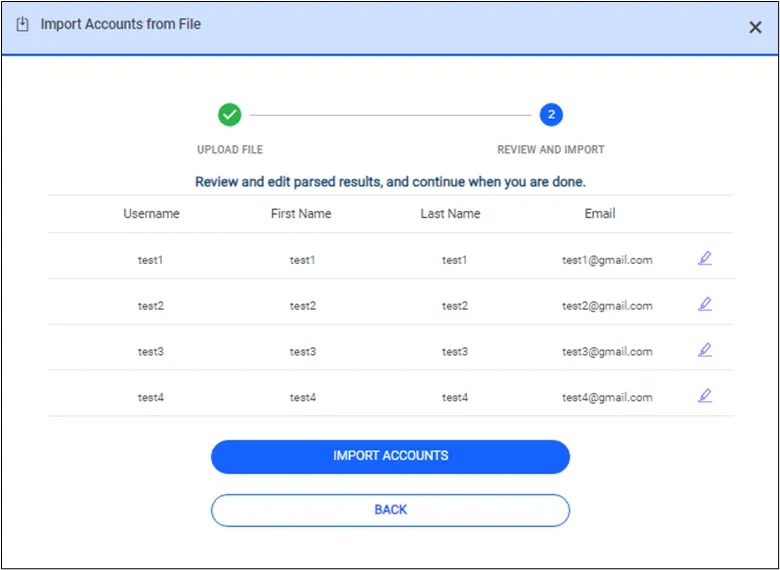
User Bulk Import