Duplicate Element Type
This function is used to create a copy of an existing Element type with the same parameters.
To duplicate an Element Type :
1. Navigate to Devices > Element Types. 2. Select the Element Type, then proceed by clicking the Actions button (Green Arrow). 3. Click on the Duplicate Element Type button. 4. Fill out the New Element Type Name and ID field and click Next. 5. Set properties according to the preferred Association Tags. 6. Save.
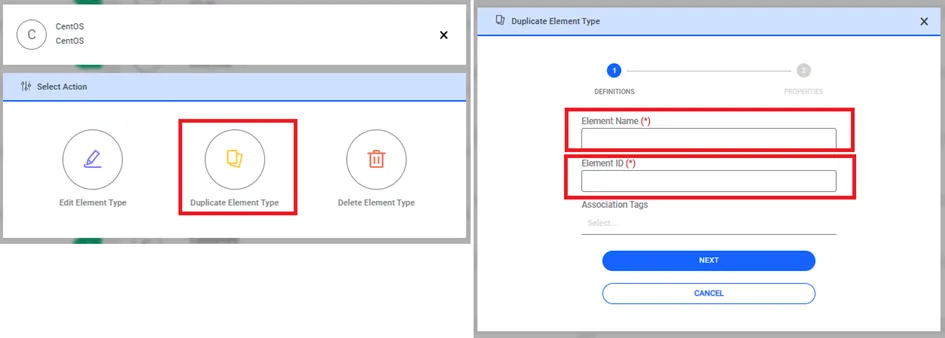
Create Duplicate Element Type