Discover New Users
Kron PAM provides automated discovery of user and privileged accounts on target systems, such as Linux/Unix servers, Windows servers, databases, and Active Directory. The discovery process can identify accounts that are not yet managed by Kron PAM, including privileged and shadow accounts, as well as accounts in supported cloud and other remote environments. If there is a local user created on the target system, other than a Kron PAM Password Vault account, this could create a backdoor to the target device- anybody can log in to the target device using this new local user and the session would not run under Kron PAM's supervision.
To prevent issues related to unknown new users, Kron PAM checks for new local users created on the target device and notifies the admin if any are detected. In addition, the local user groups these local accounts on the target machine belong to are also displayed. The admin can then take manual action, like deleting the user from the system or adding the user to Kron PAM’s Password Vault. To do this:
- Navigate to Secrets > Vault.
- Search for a user on the Advanced Search Field.
- After the accounts are listed, click the Options button for one of the accounts.
- Select Check New Accounts from the menu.
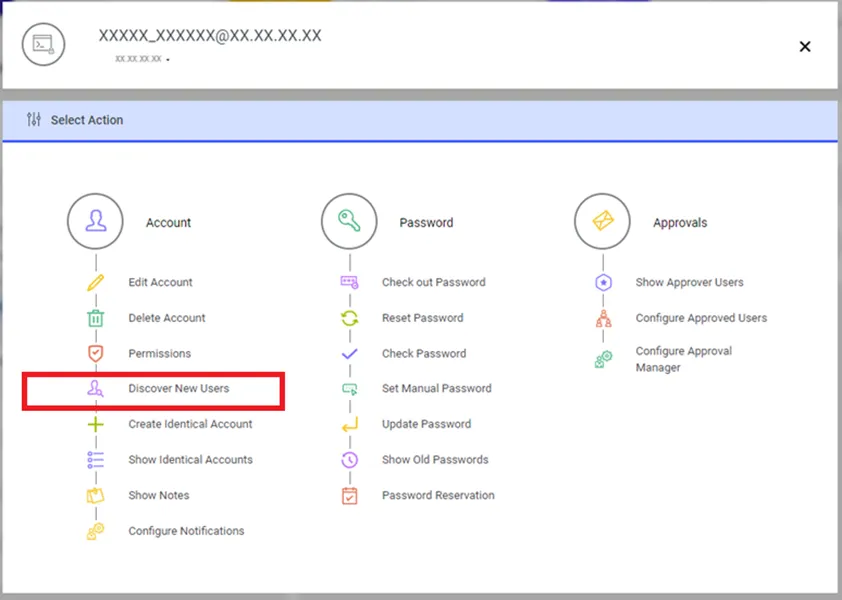
Password Vault will check the users and a pop-up window will inform the user about the process. After that, the new user list can be viewed.
To check for new users:
- Open the Newly Discovered Users tab from Audit.
- Fill in the fields used to filter the search.
- Click Search.