Deleting a Password Vault Group
Existing Vault Groups can be deleted from the Vault screen. To delete a group:
- Navigate to Secrets > Vault.
- Open the Vault tab.
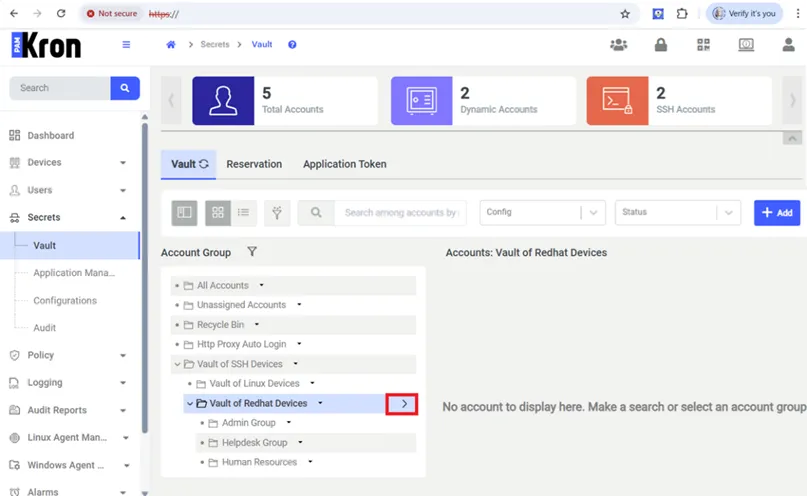
- Find the desired group in the group tree, and click the the Options button that appears when you hover the mouse cursor over the name of the group.
- Select the Delete Group option from the menu.
- Confirm the dialog box.
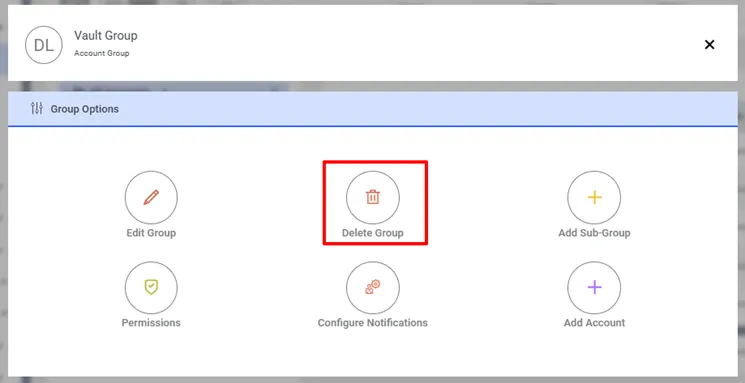
Delete Password Vault Group
When you try to delete a Vault group that has at least one subgroup, the system warns that such parent groups as in the screenshot below cannot be deleted.
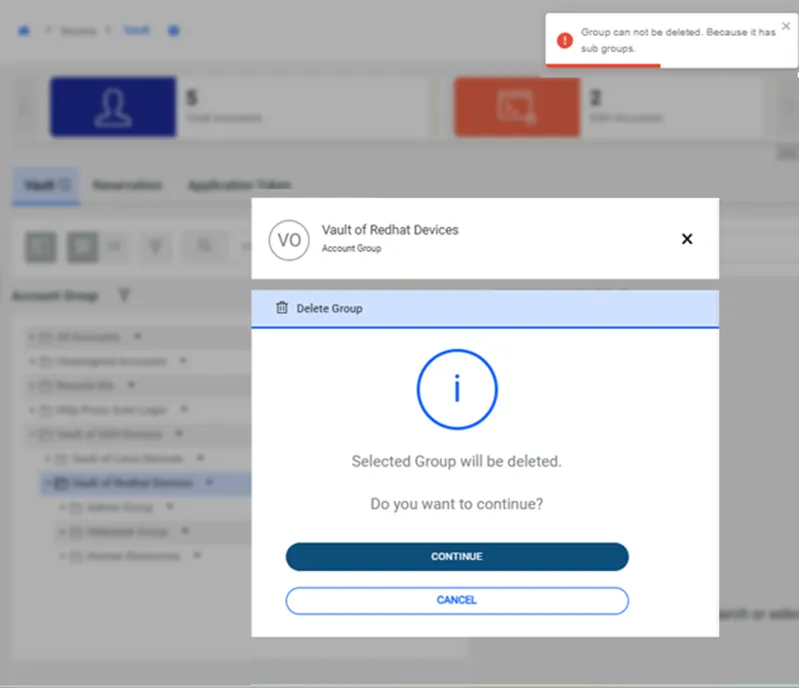
Cannot Delete Vault Group If Vault Group Has Sub Group