Creating a SQL Policy
The execution of queries can be prevented or allowed by SQL policies:
- Navigate to Policy Control > Session Policy.
- Click the +Add button next to the Policy Key Title.
- Select the Policy Key Type in the opened pop-up.
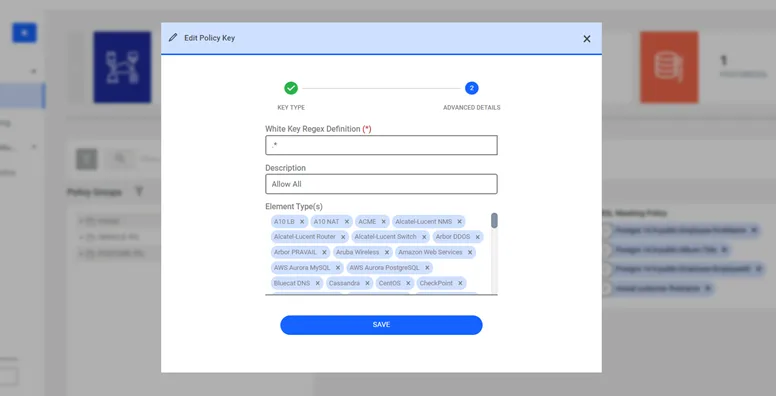
- Select white or black key.
- Enter the query (or regex) to prevent or allow.
- Select the policy type and element type.
- Click Save.
At least one policy key must be assigned to the related realm for SQL proxies. *If only black key policies are defined in a realm, all remaining queries will be white key. *If only white key polices are defined in a realm, all remaining queries will be black key. *If only the “.” regex is defined as white key, all queries are allowed to run. *If only the “.” regex is defined as a black key, all queries will be blocked.
The conditions listed in the table below are restricted by default to prevent the inference of masked data. If required, these conditions should be defined as white keys and assigned to the relevant policy groups.
Type | Condition / Function Name |
|---|---|
Condition | C$WHERE$ |
Condition | C$WHEN$ |
Condition | C$THEN$ |
Condition | C$ORDER BY$ |
Condition | C$GROUP BY$ |
Condition | C$PARTITION$ |
Condition | C$EXISTS$ |
Condition | C$IS NULL$ |
Condition | C$IN$ |
Condition | C$ON$ |
Condition | C$BETWEEN$ |
Condition | C$FOR$ |
Condition | C$ELSE$ |
Condition | C$NOT$ |
Condition | C$CASE$ |
Function | C$SWITCH$ |
Function | C$CAST$ |
Function | C$EXTRACT$ |
Function | C$PARENTHESIS$ |
Function | C$INSERT$ |
Function | C$UPDATE$ |
Function | C$PIVOT$ |
Function | C$TIMEZONE$ |
Function | C$EQUALSTO$ |