Adding Function Realms
To assign portal functions to user groups, follow the steps below. All users in the selected user group will be authorized with the selected functions.
- Navigate to Policy > Portal Functions.
- Open the Realm Definition tab.
- Click on the +Add button.
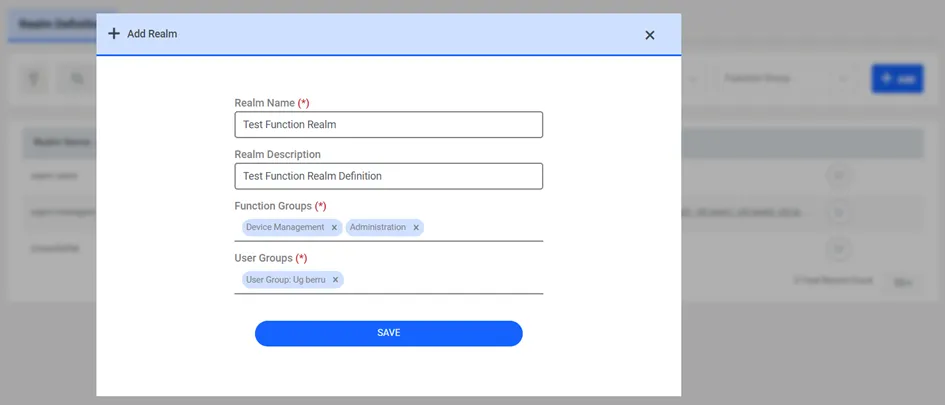
- Fill in the Realm Name and Description fields.
- Select the desired Function Groups to be shown to the users and select one or more user groups to be assigned.
- Click Save to Add Portal Functions to the user group(s).
Modifying the menu view for users